Box plot in a table
A box plot shows how a measure is spread: the middle half of the values as a box, the median as a line in the box, and whiskers for the rest. This template draws one in every row of a table.
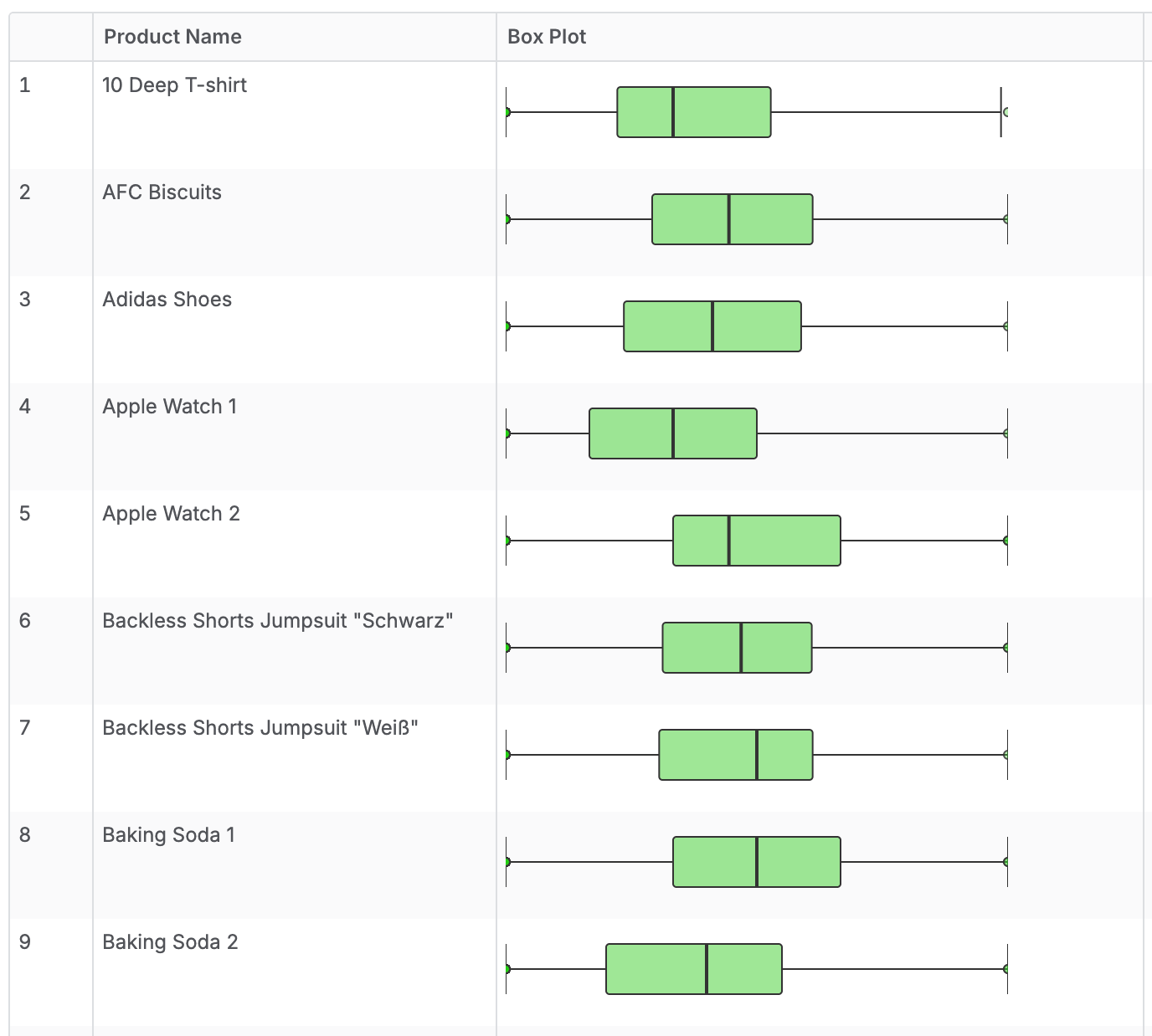
Add the function library and import it into your dataset first. See SVG charts in tables.
Add the metric
Call SVG.Viz.Boxplot from a metric of type text, and wrap it in SVG.Html.Box to fix the size in the cell.
metric box_plot {
  label: 'Box Plot'
  type: 'text'
  definition: @aql
    SVG.Html.Box(
      300, 50,
      SVG.Viz.Boxplot(
        products,
        products.id,
        count(orders.id),
        '#22cf13',
        null,
        300,
        50
      )
    )
  ;;
}
Parameters
SVG.Viz.Boxplot
SVG.Viz.Boxplot takes these parameters in order.
| Parameter | Type | What it is |
|---|---|---|
pAxisModel | model | The model whose rows the statistics run over, such as products. |
pAxisRef | dimension | The dimension that splits the model into the points of the plot, such as products.id. |
pMeasureRef | number | The measure to plot, such as count(orders.id). |
pFillColor | text | Box fill color. null uses the default blue. |
pStrokeColor | text | Line color. null uses #333333. |
pWidth | number | Width of the chart's drawing grid. Sets the proportions, not the display size. null uses 120. |
pHeight | number | Height of the chart's drawing grid. Sets the proportions, not the display size. null uses 48. |
SVG.Html.Box
SVG.Html.Box sets how big the chart looks in the table cell. Without it, the chart stretches to the full width of the cell.
| Parameter | Type | What it is |
|---|---|---|
pWidth | number | Display width in pixels. |
pHeight | number | Display height in pixels. |
pContents | text | The chart to show, such as the result of SVG.Viz.Boxplot. |
The chart scales to fit this box and keeps its proportions. Use the same width-to-height ratio as the chart's pWidth and pHeight, or the chart leaves empty space around it.
Use it in a table
Put the metric next to the dimension you want a row for.
explore {
  dimensions {
    product_name: products.name
  }
  measures {
    box_plot: box_plot
  }
}
How to read it
- The box runs from the 25th to the 75th percentile.
- The line in the box is the median.
- The whiskers reach the lowest and highest values within 1.5 times the box width. They stop at the minimum or maximum if those are closer.
- Circles beyond the whiskers are outliers.
- The scale runs from the minimum to the maximum of the row, so each row fills its own width.