Database passthrough authentication for Snowflake
This guide walks you through setting up database passthrough authentication for Snowflake. With this setup, each Holistics user authenticates with their individual Snowflake credentials, and queries run under their identity in Snowflake.
Step-by-step setup
Step 1: create a Snowflake OAuth integration
Holistics connects to Snowflake using a Snowflake OAuth security integration. This integration lets each user authorize Holistics to run queries under their own Snowflake identity.
-
Switch your role to
ACCOUNTADMIN, which is required to create an OAuth integration. If you just switched roles, refresh the browser before continuing. -
Run the following command, replacing
<holistics-domain>with your Holistics domain (see the notes below):CREATE SECURITY INTEGRATION OAUTH_HOLISTICS_INTTYPE = OAUTHENABLED = TRUEOAUTH_CLIENT = CUSTOMOAUTH_CLIENT_TYPE = 'CONFIDENTIAL'OAUTH_REDIRECT_URI = 'https://<holistics-domain>/data_sources/oauth_callback'OAUTH_ISSUE_REFRESH_TOKENS = TRUEOAUTH_REFRESH_TOKEN_VALIDITY = 7776000BLOCKED_ROLES_LIST = ('SYSADMIN')OAUTH_ENFORCE_PKCE = TRUEOAUTH_ALLOW_NON_TLS_REDIRECT_URI = FALSE;Notes:
OAUTH_REFRESH_TOKEN_VALIDITYis set to 90 days (7776000 seconds).- For
<holistics-domain>, copy the domain from the Holistics app. For example:secure.holistics.ioeu.holistics.ious.holistics.iocompany.holistics.io(if you're using a custom domain)
-
Retrieve the Client ID. Run the command below and look for the
OAUTH_CLIENT_IDvalue:DESC SECURITY INTEGRATION OAUTH_HOLISTICS_INT; -
Retrieve the Client Secret. Run the command below and look for the
CLIENT_SECRETvalue:SELECT SYSTEM$SHOW_OAUTH_CLIENT_SECRETS('OAUTH_HOLISTICS_INT'); -
Save both the Client ID and Client Secret - you'll need them in the next step.
Step 2: configure passthrough authentication in Holistics
-
Navigate to the Data Sources page in Holistics (
/manage/data_sources) -
If you don't already have a Snowflake data source, add a new data source using Private Key authentication
-
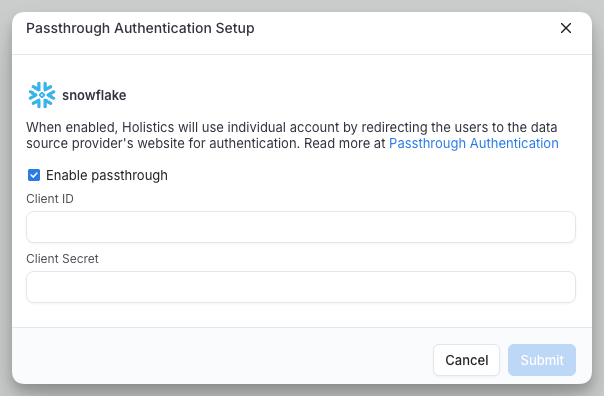
Enable passthrough authentication by clicking the "Passthrough" button on your data source in the listing page
-
Enter the Client ID and Client Secret from Step 1, then save
Step 3: connect your database credentials
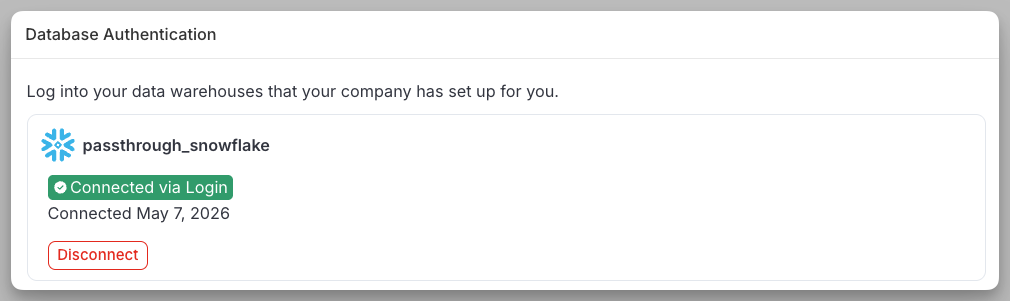
Each user must authenticate with their individual Snowflake account:
- Go to My Account settings (
/users/settings) - Locate the Database Authentication section
- Click to login with your Snowflake credentials
Token expiration behavior
Access tokens expire after 24 hours, and refresh tokens expire after 90 days. Users will be prompted to re-authenticate when their refresh tokens expire.