Color Palettes
Introduction
Color palettes let you define a consistent set of colors for your charts, so every visualization in your workspace follows the same brand or style. In Holistics, palettes are defined as code and can be applied to individual charts, set as the project-wide default, or referenced in a dashboard theme for organization-wide consistency.
How-to
Create a color palette
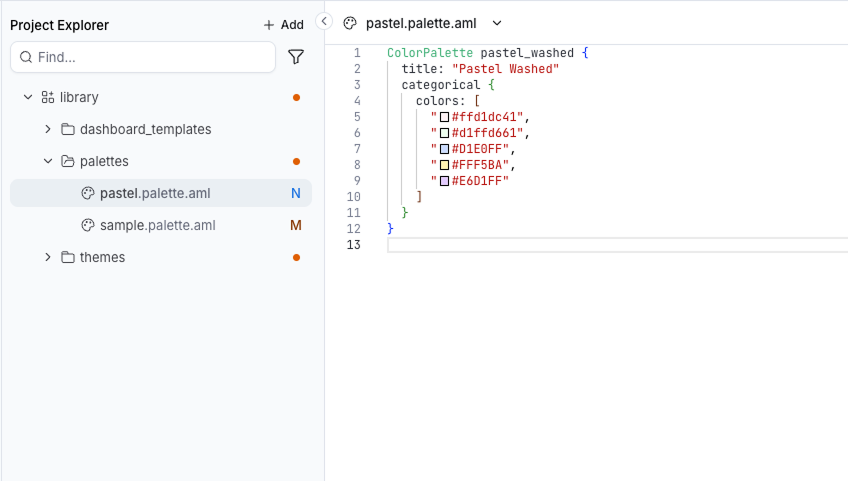
To create a palette, go to Development > Library > Palettes and create a new .palette.aml file:
ColorPalette palette_name {
  title: "Display Name"       // shown in the palette picker
  categorical {
    colors: [
      "#FF5733",                // accepts hex, rgb, oklch, and other CSS color formats
      "#33FF57",
      "#3357FF"
    ]
  }
}
See ColorPalette AML reference for all available parameters.
Apply color palette
Apply color palette to theme
To apply a palette across all charts in a dashboard at once, reference it inside a dashboard theme.
PageTheme my_theme {
  color {
    data: palette_name
  }
}
Apply color palette to chart
To use a different palette on a specific chart, override it via:
- GUI: Select the palette in the Visualization Settings of any chart in the Edit or Explore modal.
- Code: Reference the color palette directly inside your visualization block in Development mode.
Dashboard ecommerce_dashboard {block chart_name: VizBlock {...viz: LineChart {...theme: VizTheme {color {data: palette_name}}}}}
Override color for series
You can override colors at the data series level, and the configuration options depend on whether your chart includes a legend.
- No legend
- Has legend
For charts without a legend, you can apply a single static color to the series using the color field.
Dashboard ecommerce_dashboard {
  block chart_name: VizBlock {
    viz: LineChart {
      y_axis {
        series {
          settings {
            // Apply a single color to the series
            color: "#FF5733"
          }
        }
      }
    }
  }
}
When your chart includes a legend, you have two options for customizing series colors:
- Apply a color palette: References a
color_paletteand automatically maps colors to legend values. This overrides any palette set viatheme { color { data: ... } }at the chart level. - Define explicit point colors: Specifies exact hex colors for individual legend values using
pointblocks.
Dashboard ecommerce_dashboard {
  block chart_name: VizBlock {
    viz: LineChart {
      legend { ... }
      y_axis {
        ...
        series {
          settings {
            // Option 1: Apply a color palette
            color_palette: palette_name

            // Option 2: Specify explicit colors per legend value
            point {
              value: "Online"
              color: "#FF5733"
            }
            point {
              value: "Offline"
              color: "#33FF57"
            }
          }
        }
      }
    }
  }
}
Set the global default palette
You can set the global default palette for all charts in your project in two ways:
-
GUI: Go to Project settings > Dashboard & Visualization > Default color palette and select from the dropdown.
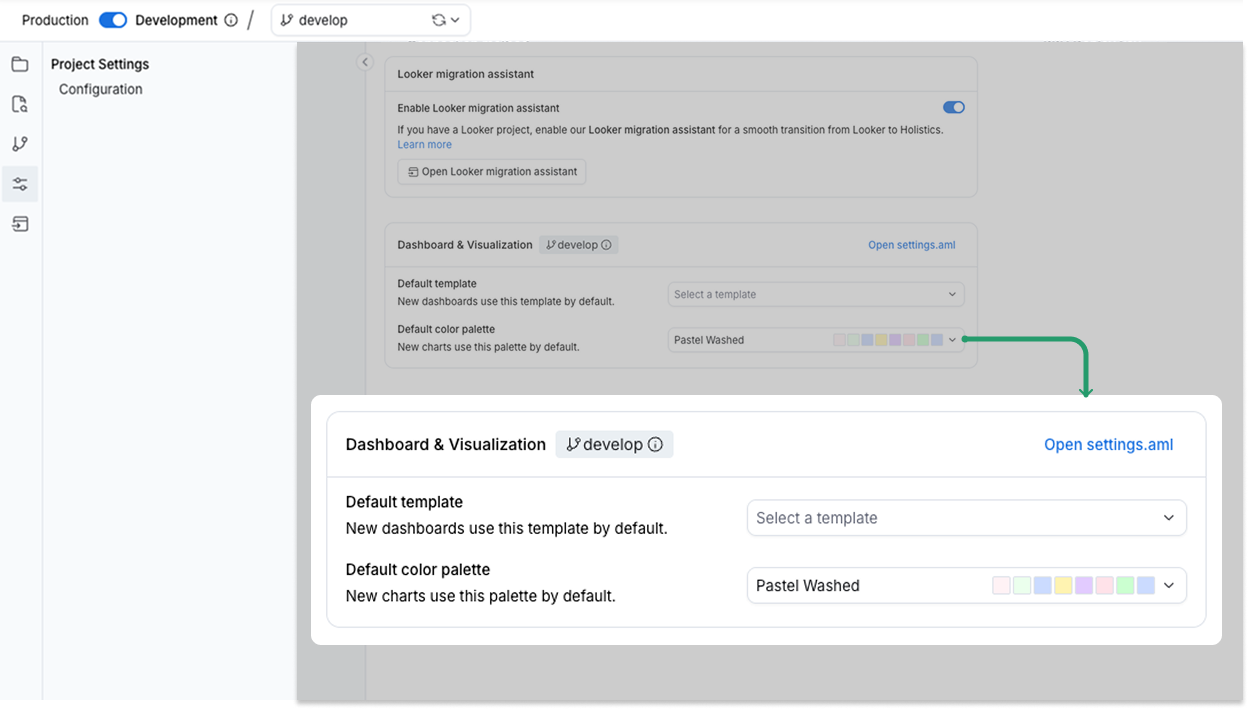
-
Code: Update the
settings.amlfile in your Development > settings folder:ProjectSettings project_settings {viz {default_color_palette: palette_name}}
Legacy palettes
These palettes were created through the old Admin Settings before as-code palette support was introduced. They have a few limitations - have no AML definition, and cannot be referenced in a dashboard theme.
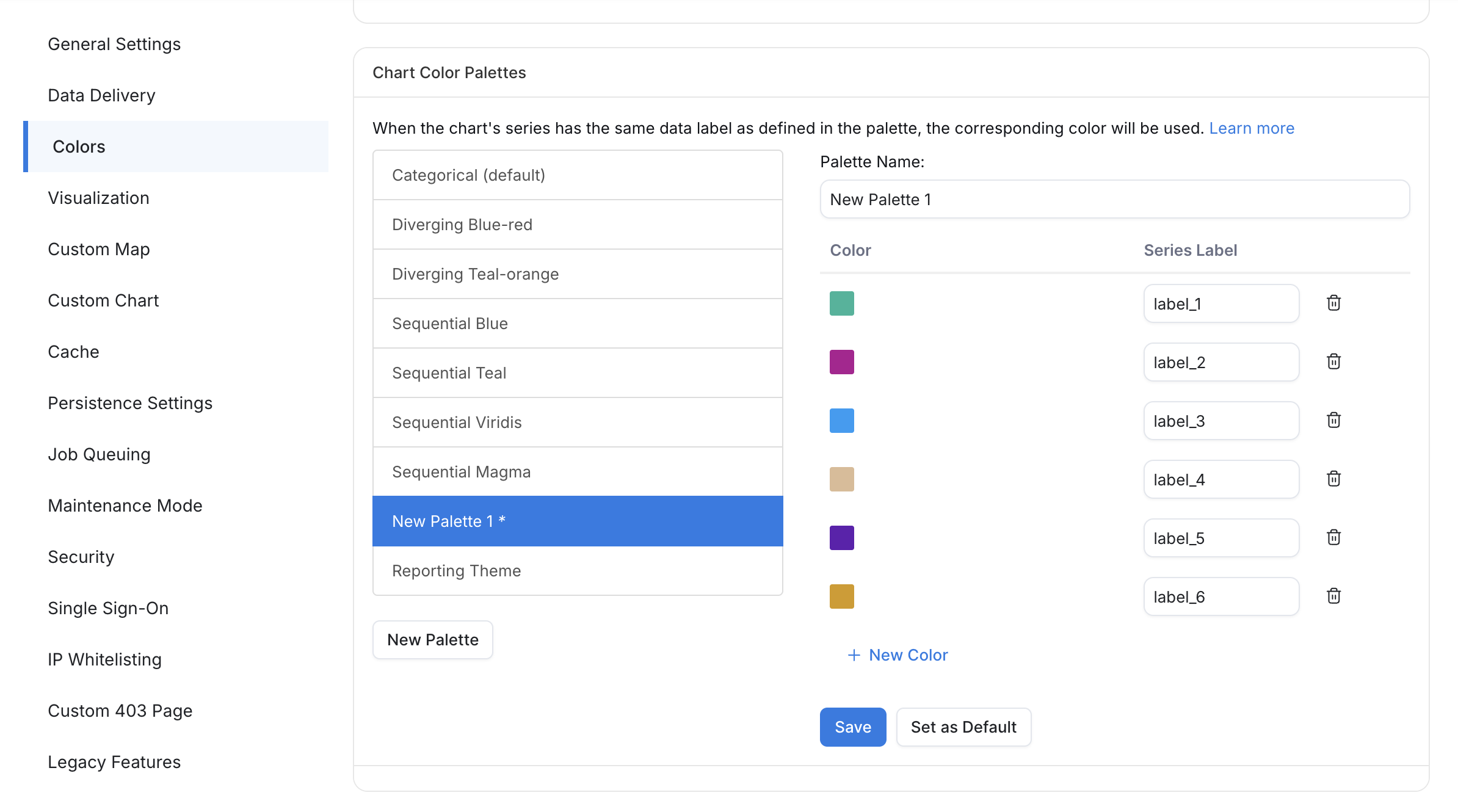
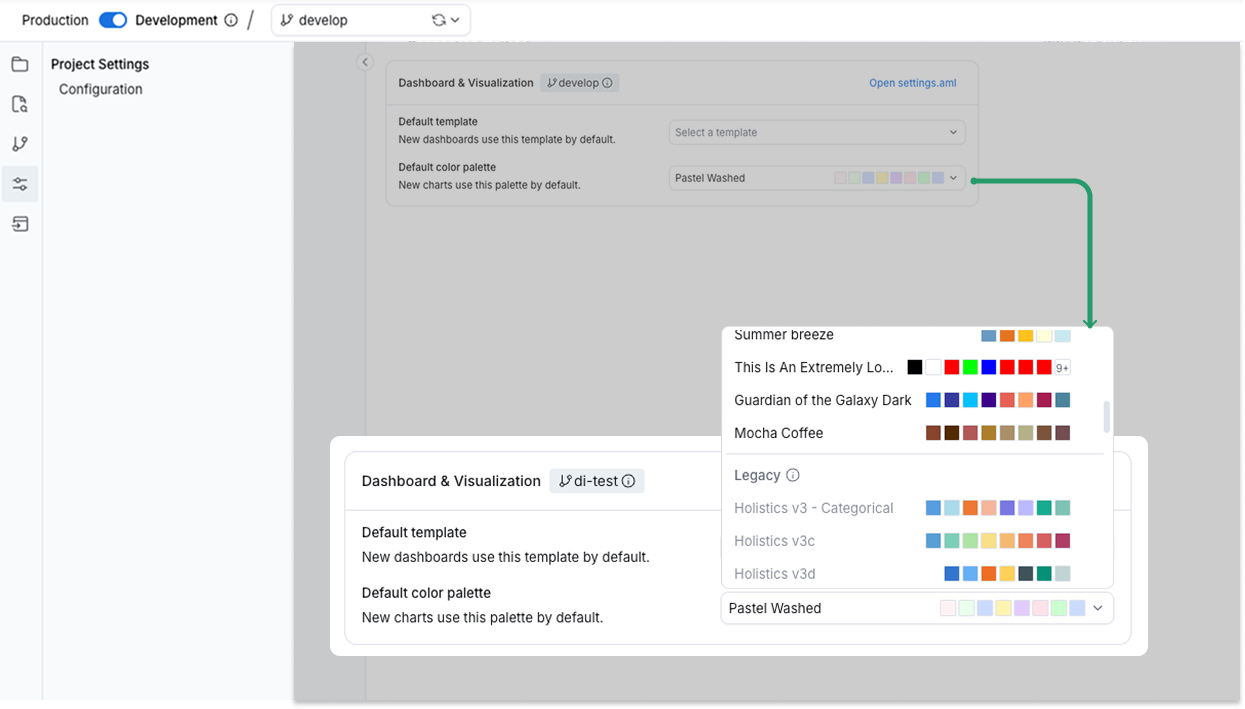
You can find legacy palettes under Project Settings in Development alongside your as-code palettes. You can view, use, and delete them, but you cannot edit them or set them as default. To replace a legacy palette, delete it and recreate it as a .palette.aml file.
FAQs
Will changing the default color palette affect existing charts using the previous default scheme?
Yes. If the default color palette is changed, existing charts using the default setting will be updated to use the new default color palette.
Can I delete the default color palette?
You cannot delete the default color palette unless you have set another palette as your default option.