Bring Your Own LLM
Overview
Holistics lets you connect your own OpenAI, Anthropic, or Gemini account. You control cost, usage, and which models power your AI workflows. To compare this with using Holistics-managed models, see AI billing.
You are responsible for configuring your own data and security controls with your provider. For reference, check out Holistics' data controls for default AI providers.
Setting up your own provider takes two steps, both in Organization settings > AI settings:
- Configure your AI providers: add your provider's API keys.
- Configure your AI models: choose which models Holistics AI uses.
You need both. Saving a key alone doesn't switch Holistics AI to your provider.
Step 1: Configure your AI providers
To connect Holistics to your LLM accounts, you need to add your API keys. This allows Holistics to send requests directly to your chosen AI providers.
Supported providers
- OpenAI, including OpenAI-compatible endpoints (e.g. OpenRouter, LiteLLM)
- Anthropic
- Gemini
Get an API key from your provider
- OpenAI API keys page
- Claude API keys page
- Gemini API key guide
- OpenAI-compatible endpoints: refer to your proxy's documentation
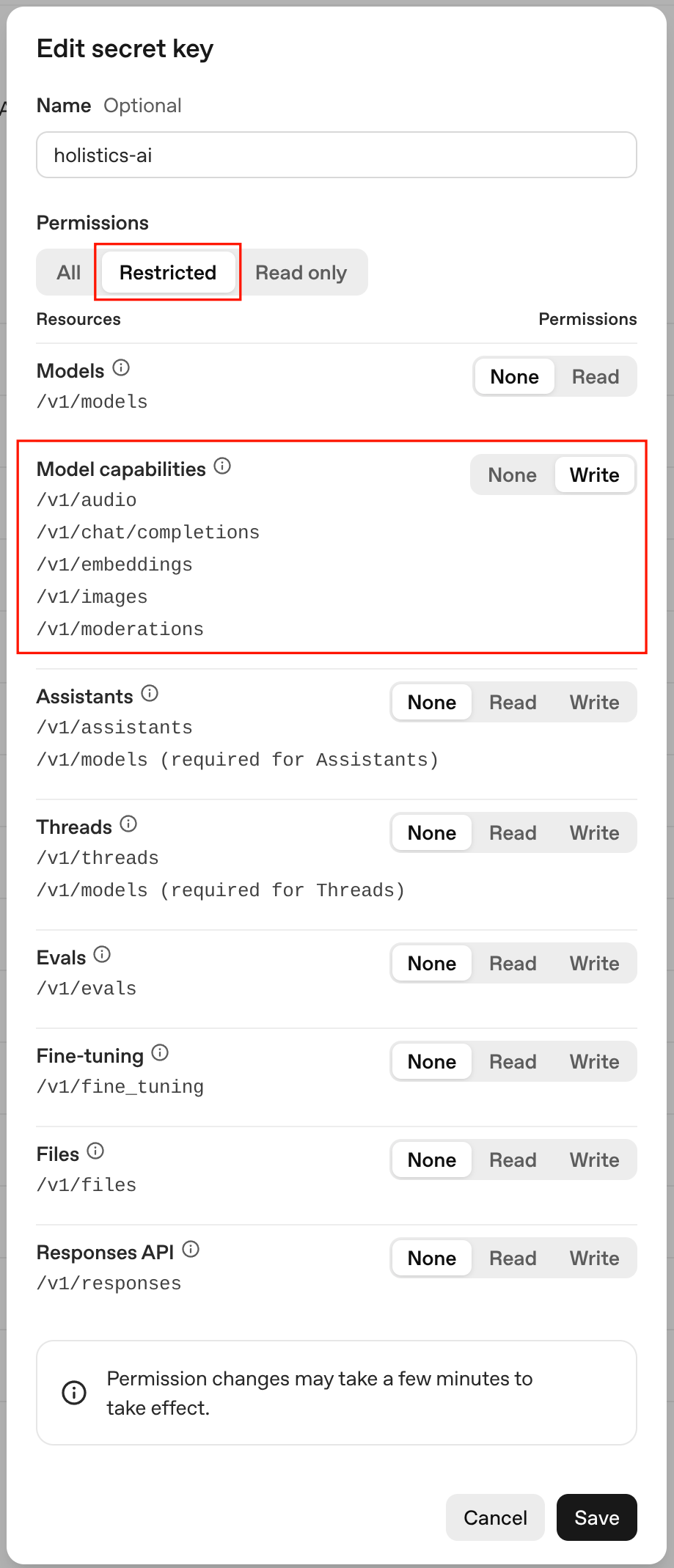
If you're using an OpenAI key: enable the Write permission on Model capabilities.
Add your API key to Holistics
In AI providers, click Add key next to your provider, and enter your API key.
For OpenAI-compatible endpoints, you'll also need to provide the base URL (e.g. https://openrouter.ai/api/v1).
Step 2: Configure your AI models
After adding your API keys, you must choose which specific models Holistics should use for different tasks. This ensures your workflows run on the appropriate model class.
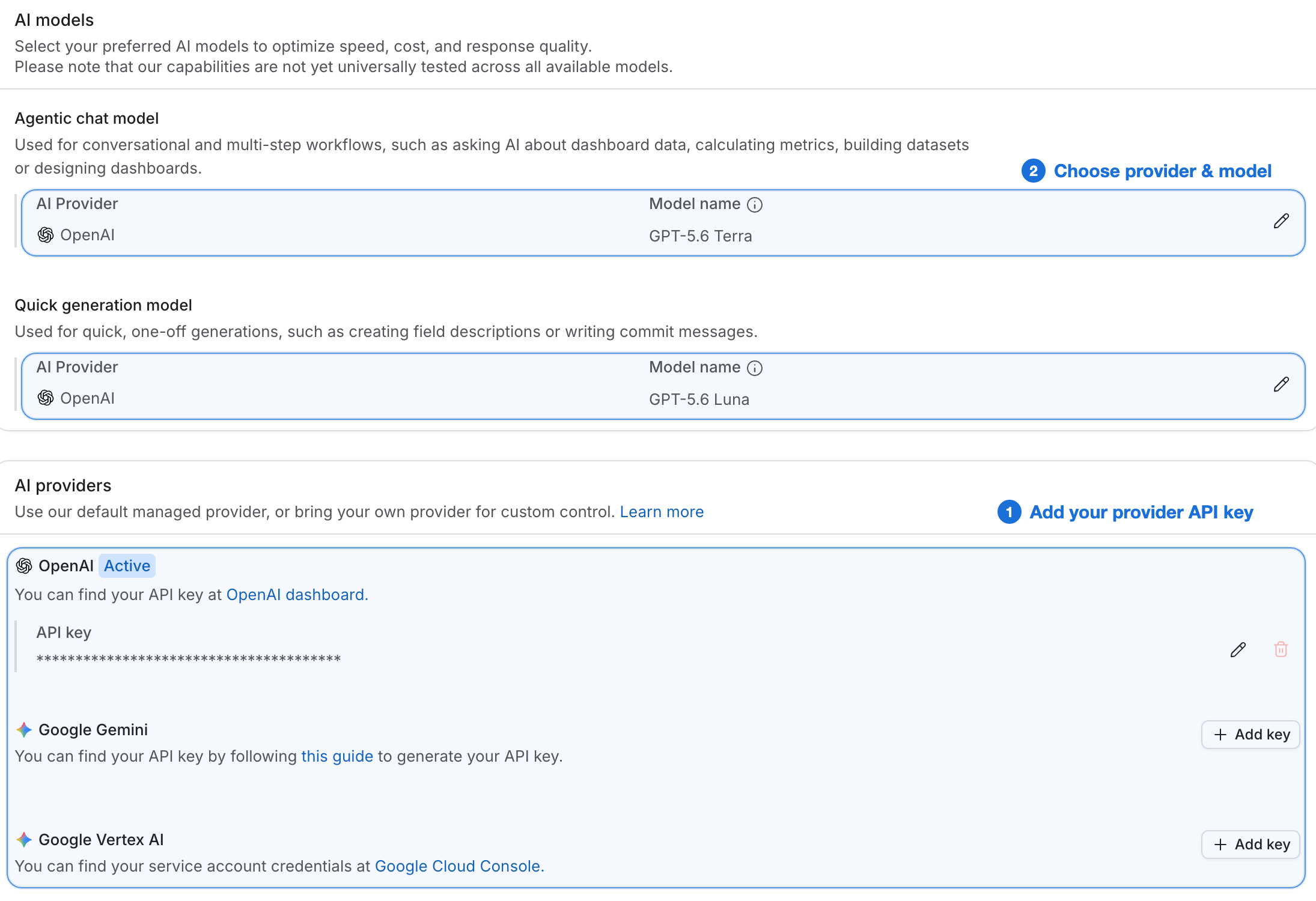
Under AI models, choose a provider and model for each of the two model classes:
- Agentic chat model: Used for conversational, multi-step workflows such as querying data, modeling, and building dashboards. We recommend choosing a model with strong reasoning to prioritize accuracy.
- Quick generation model: Used for fast, one-shot tasks such as generating field descriptions and commit messages. We recommend choosing a fast, low-cost model to prioritize speed.
You can mix models from different providers, for example Claude Sonnet 4.6 for agentic chat and Gemini 3.1 Flash Lite for quick generation.