Trace AI-triggered queries and jobs
When a query lands in your warehouse logs, the first question is usually "who ran this?". If your organization has Holistics AI or the MCP server enabled, the more useful question becomes "did a person run this, or did an agent run it on their behalf?".
Holistics answers that in two places: on the Job record, and in the SQL comment of the query itself. Both carry the same three pieces of provenance, so you can start from either a Holistics Job or a raw row in your warehouse query history and end up at the same answer.
What gets recorded
Every Job carries three tracing fields, and the same three are stamped into the SQL comment of each query that Job sends to your data source.
| Job API field | SQL comment label | What it tells you |
|---|---|---|
ai_triggered | AI Triggered | Whether AI triggered the query |
ai_origin | AI Origin | Which AI surface it came from |
auth | Auth | How the original caller authenticated |
An example to follow
Say a user opens the in-app AI panel and asks to see the detail behind MRR movement:
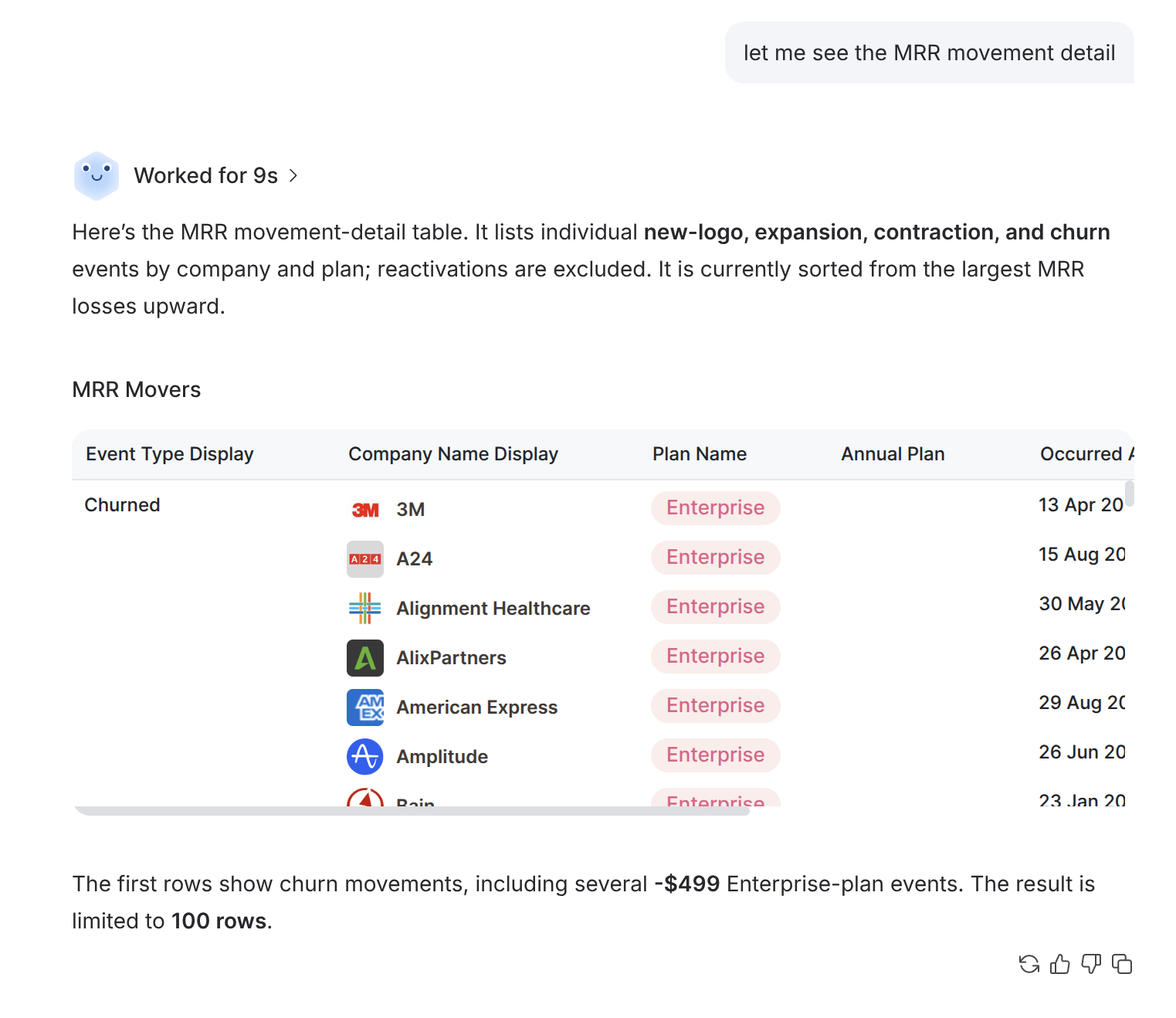
AI renders the "MRR Movers" block. That creates Job 404778424 against Dashboard 114240, which sends a query to the warehouse. The next two sections follow that same query: first from the Holistics side, then from the warehouse side.
Check the caller info of a Job
Pass include_caller_info=true to either Get a Job or List Jobs:
curl -H "X-Holistics-Key: $HOLISTICS_API_KEY" \
  "https://secure.holistics.io/api/v2/jobs/404778424?include_caller_info=true&include_source=true"
Note: include_source=true is very helpful. It adds the source block, which tells you what the query was for.
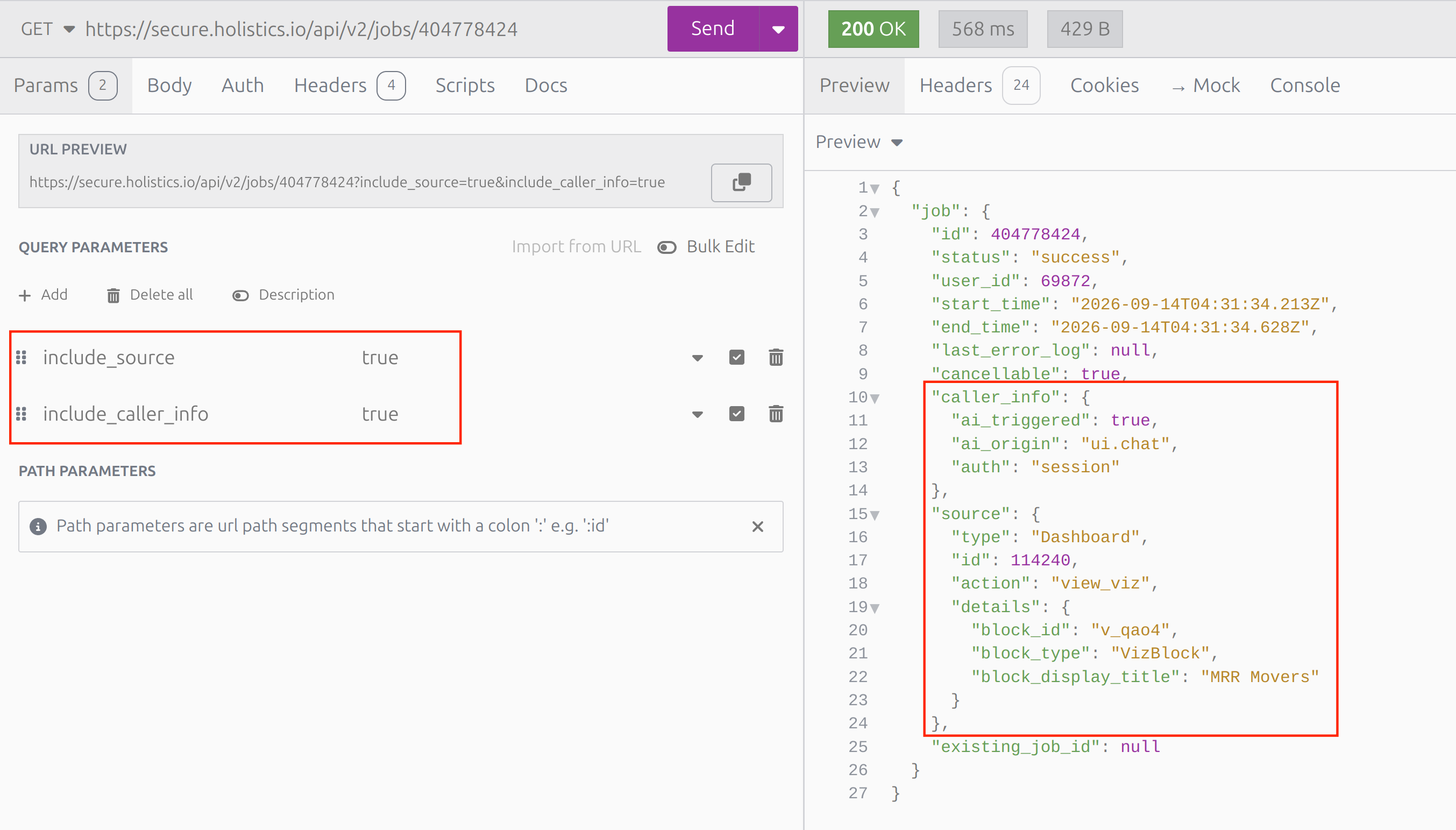
{
  "job": {
    "id": 404778424,
    "status": "success",
    "user_id": 69872,
    "caller_info": {
      "ai_triggered": true,
      "ai_origin": "ui.chat",
      "auth": "session"
    },
    "source": {
      "type": "Dashboard",
      "id": 114240,
      "action": "view_viz",
      "details": {
        "block_id": "v_qao4",
        "block_type": "VizBlock",
        "block_display_title": "MRR Movers"
      }
    }
  }
}
Trace a query from your warehouse logs
Holistics adds a comment to every query it sends, carrying those same three values. So you can answer the question straight from a row in your warehouse query history, without opening Holistics at all:
/* - Job ID: 404778424 * - Source ID: 114240 - Source Type: Dashboard - AI Triggered: true - AI Origin: ui.chat - Auth: session */
SELECT * FROM (
  WITH "aql__t4" AS (
  ...
The same comment appears in the Job's own logs in Holistics, which is the quickest way to confirm what a given Job actually sent:
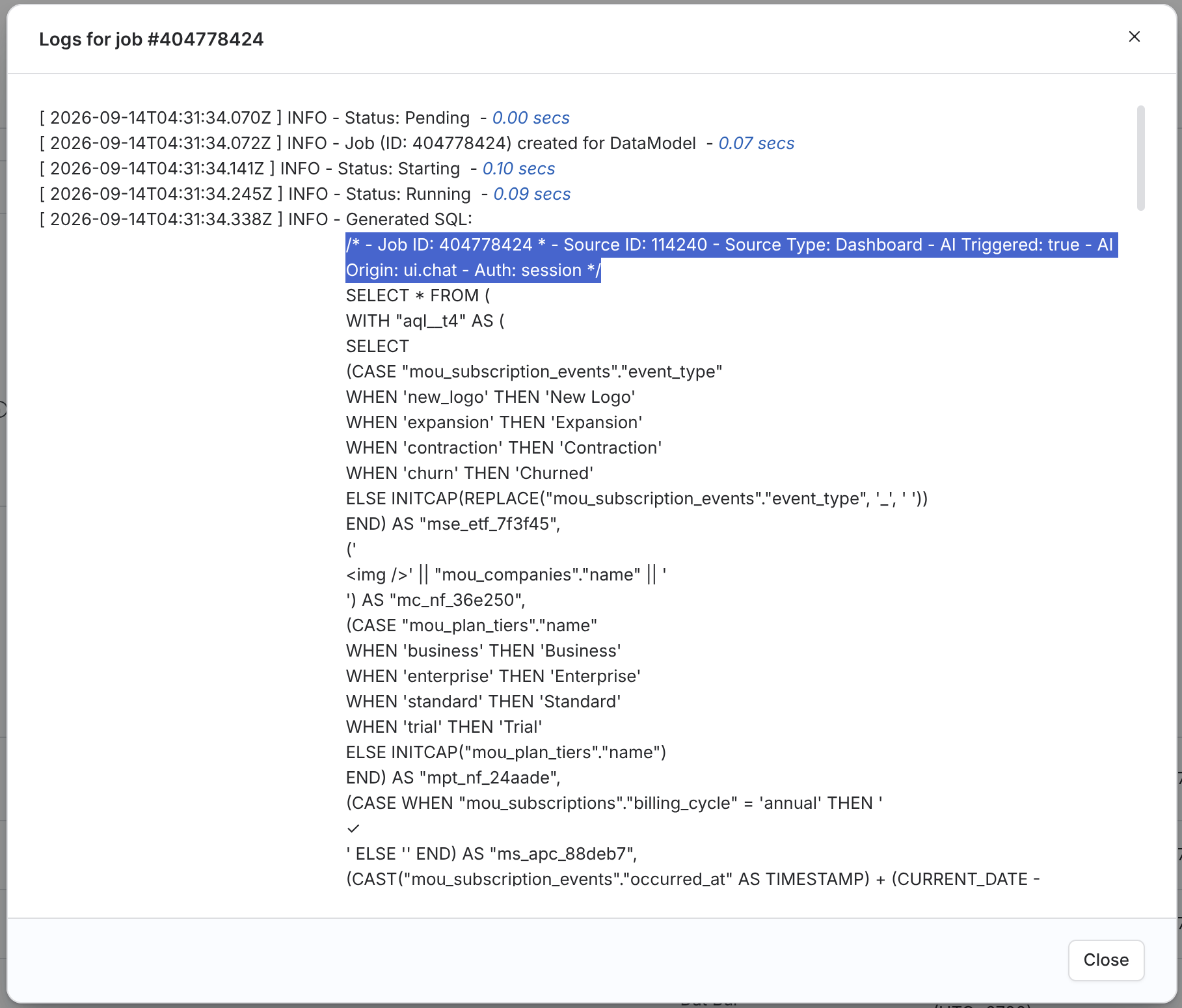
Both routes agree, which is the point. An unfamiliar row in your query history leads back to a specific Holistics Job, the dashboard block it rendered, and the person who asked for it.
Field values
ai_triggered
This field is deliberately three-valued rather than a plain boolean, because "not AI" and "cannot tell" are different answers.
| Value | Meaning |
|---|---|
true | The query came from Holistics AI or an MCP tool call |
false | The request came from a person acting directly in the UI |
null (unknown in the SQL comment) | No AI session and not a browser request, typically a direct REST API call |
Detection covers AI that goes through Holistics' own AI features and MCP server. An external agent that calls the Holistics REST API directly, or drives the UI through browser automation, looks like any other API client. That is why such requests report null rather than false: Holistics is telling you it cannot determine the answer.
Knowing how your own organization uses the API often narrows null down further. If all of your API and CLI traffic comes from AI agents authenticating with OAuth, then auth: oauth alongside ai_triggered: null is a reasonable read as AI activity for your own governance purposes. That inference rests on facts about your setup that Holistics cannot see, so it is yours to make rather than something the field reports.
ai_origin
Present only when an AI session was involved, and null otherwise.
| Value | Where the request came from |
|---|---|
ui.chat | The in-app AI chat panel |
tool.mcp | An external agent calling a Holistics MCP tool |
api | The AI API |
unknown | Not recorded, including conversations that predate this field |
auth
| Value | How the caller authenticated |
|---|---|
session | Signed in through the Holistics UI |
api_key | An API key |
oauth | An OAuth access token |
public | Using Shareable Links or Embedded Analytics |
Related resources
- AI Data Access & Policy: what data AI can reach and how it is handled
- Redact data for AI: give AI a stricter policy than the person asking
- Who Can Use AI: control which users can use Holistics AI