Apache Ossie (Open Semantic Interchange)
Introduction
Apache Ossie (formerly Open Semantic Interchange, or OSI) is an open, vendor-neutral format for exchanging semantic models between tools. A semantic model in Ossie is one YAML file with datasets, fields, metrics and relationships.
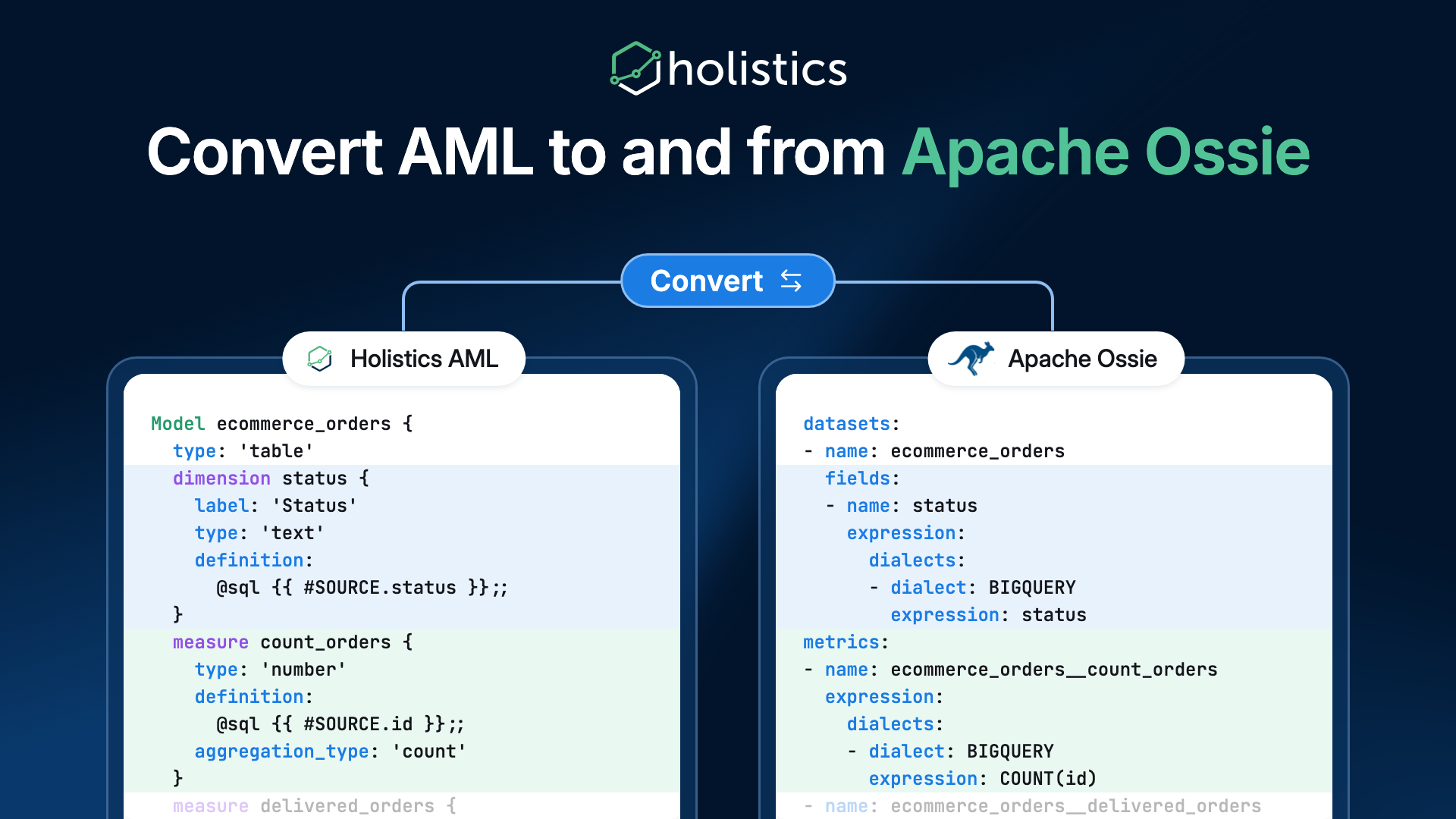
Holistics maintains an open-source converter between AML and Ossie in the Apache Ossie repository. With it you can:
- Export an AML dataset to an Ossie model, so any tool that reads Ossie can use your Holistics definitions.
- Import an Ossie model as AML files, so a model built in another tool can be brought into Holistics without rewriting it.
Holistics is listed on the Apache Ossie ecosystem page.
The converter is a command-line tool that runs on your machine. It is not part of the Holistics app, and it needs no Holistics account or warehouse connection.
How it works
Understanding how AML concepts map to Apache Ossie helps you predict how your models will look after conversion. The following diagram and table show how each AML object translates to its Ossie equivalent.
- Holistics
- AML dataset and models — Your semantic layer, written in AML
- Apache Ossie model (YAML) — One open, vendor-neutral file: datasets, fields, metrics and relationships
- Other tools (Omni, Cube, Hex ...) — Any tool with an Ossie converter
- aml → ossie (Export: compile, then to-ossie)
- ossie → aml (Import: to-aml, then validate)
- ossie → tools (their converters)
- Export: compile your AML dataset with the Holistics CLI, then convert it to an Ossie model. Any tool with an Ossie converter can read it.
- Import: convert an Ossie model, written by Holistics or by another tool, into AML files. Then validate them with the Holistics CLI.
One AML dataset becomes one Ossie model:
| In AML | In Ossie |
|---|---|
| The dataset | The model (document root) |
| Each model | A dataset |
| Each model dimension | A field on that dataset |
| Each model measure | A metric named <model>__<measure> |
| Each dataset-level metric | A metric |
| Each relationship | A relationship |
For example, this AML model:
Model ecommerce_orders {
  type: 'table'
  label: 'Orders'
  data_source_name: 'bigquery_demo'
  table_name: '`ecommerce`.`orders`'

  dimension id {
    label: 'Id'
    type: 'number'
    primary_key: true
  }

  dimension status {
    label: 'Status'
    type: 'text'
    definition: @sql {{ #SOURCE.status }};;
  }

  dimension delivered {
    label: 'Delivered'
    type: 'truefalse'
    definition: @aql ecommerce_orders.status == 'delivered';;
  }

  measure count_orders {
    label: 'Count Orders'
    type: 'number'
    definition: @sql {{ #SOURCE.id }};;
    aggregation_type: 'count'
  }

  measure delivered_orders {
    label: 'Delivered Orders'
    type: 'number'
    definition: @aql count(ecommerce_orders.id) | where(ecommerce_orders.delivered);;
  }
}
becomes this in Ossie (trimmed):
datasets:
- name: ecommerce_orders
  source: '`ecommerce`.`orders`'
  primary_key:
  - id
  fields:
  - name: id
    expression:
      dialects:
      - dialect: BIGQUERY
        expression: id
    datatype: Decimal
  - name: status
    expression:
      dialects:
      - dialect: BIGQUERY
        expression: status
    datatype: String
  - name: delivered
    expression:
      dialects:
      - dialect: HOLISTICS_AQL
        expression: ecommerce_orders.status == 'delivered'
    datatype: Boolean
metrics:
- name: ecommerce_orders__count_orders
  expression:
    dialects:
    - dialect: BIGQUERY
      expression: COUNT(id)
- name: ecommerce_orders__delivered_orders
  expression:
    dialects:
    - dialect: HOLISTICS_AQL
      expression: count(ecommerce_orders.id) | where(ecommerce_orders.delivered)
- SQL definitions are written as SQL, tagged with your warehouse dialect.
- AQL definitions are kept as AQL under the
HOLISTICS_AQLdialect. They are not translated to SQL. Another tool can read and pass them through, but only Holistics can run them. - Holistics-only settings such as labels, formats and relationship options are kept in the model's
custom_extensions. Other tools ignore them. Converting the model back to AML restores them.
Before you start
Before converting your models, make sure you have the necessary tools installed on your local machine. You will need the Holistics CLI, Python, and the open-source converter.
- Install the Holistics CLI. It compiles AML before export and validates AML after import.
- Install Python 3.10 or later.
- Install the converter from a checkout of the Apache Ossie repository:
git clone https://github.com/apache/ossie.git
cd ossie/converters/holistics
pip install -e .
Export AML to Ossie
Exporting your Holistics models to Apache Ossie is a two-step process. First, compile your AML dataset into a JSON representation, then run the converter to generate the Ossie YAML file.
-
Compile the dataset with the Holistics CLI:
holistics aml compile ecommerce.dataset.aml -r . -o build/ -
Convert the compiled JSON to Ossie. Set
--sql-dialectto your warehouse:ossie-holistics to-ossie build/ecommerce.dataset.aml.json -o ecommerce.yaml --sql-dialect BIGQUERY
Import Ossie to AML
Import an Ossie model, written by Holistics or another tool, as AML files you can add to your project. Convert the Ossie YAML to AML, then validate it with the Holistics CLI and review the issue log.
-
Convert the Ossie model to AML files. Set
--sql-dialectto your warehouse and--data-source-nameto the Holistics data source the models should read from:ossie-holistics to-aml ecommerce.yaml -o aml/ --sql-dialect BIGQUERY --data-source-name my_warehouseThis writes one dataset file and one model file per Ossie dataset.
-
Validate the result with the Holistics CLI:
holistics aml validate aml/ecommerce.dataset.aml -r aml/ -
Review the files and the issue log, then add them to your Holistics project.
Ossie metrics that span several datasets are written as AQL metrics on the dataset, since that is where AML defines cross-model metrics.
Options
The converter supports several command-line options to customize the import and export process. Use these options to set the output path, your warehouse's SQL dialect, the Holistics data source and where the issue log goes.
| Option | Used with | What it does |
|---|---|---|
-o | both | Required. An output file for to-ossie, an output directory for to-aml. |
--sql-dialect | both | Required. ANSI_SQL, OSSIE_SQL_2026, BIGQUERY, DATABRICKS or SNOWFLAKE. |
--data-source-name | to-aml | The Holistics data source for the generated models. Required unless the Ossie model came from Holistics. |
--issues FILE | both | Write the issue log to a file instead of the terminal. |
--force | both | Overwrite existing output files. |
Issues
Every conversion reports what it dropped or changed, with a severity:
- INFO: something was kept in another form, for example an AQL definition carried as
HOLISTICS_AQL. - WARNING: something was dropped or changed, for example a relationship filter that Ossie cannot express.
- ERROR: something could not be converted, for example a query model that uses Holistics template syntax.
The command exits with code 1 when any ERROR is reported, so you can run it in CI.
What does not convert
Some Holistics features have no Ossie equivalent. The table shows what happens to each, both in the Ossie model and when you convert it back to AML.
| In Holistics | What happens |
|---|---|
Query models using template syntax ({{ #model }}, {% filter() %}) | ERROR. The SQL is kept unresolved, so other tools cannot run it. |
| Range and many-to-many relationships | WARNING. Kept for the round trip. Other tools see the two datasets as unrelated. |
| Inactive relationships | WARNING. Ossie has no way to mark them inactive, so other tools join across them. |
Relationship filters (where) | WARNING. Other tools join without the filter. |
| Params | WARNING. Kept for the round trip, not usable by other tools. |
| Window functions in Ossie metrics (import) | ERROR. The metric is dropped. |
| Dashboards, reports and canvases | Not converted. Ossie describes the semantic model only. |
| Comments and file layout | Not kept. A round trip returns the same models, not the same files. |
The full list, with every issue code, is in the converter's limitations.