Connection pooling
Establishing a database connection is not free. Every new connection pays for DNS lookup, authentication, SSL/TLS handshake, and session setup before a single row of data is queried. When connection pooling is enabled, Holistics keeps those connections around and re-uses them for subsequent queries instead of building a new one every time.
Benefits
Re-using an already-established connection removes a fixed cost from every query:
- Lower query latency: skipping the connection handshake typically saves 100-2000ms per query. This is most noticeable on dashboards that fire many queries at once, and on warehouses that are far away from Holistics (network latency multiplies the handshake cost).
- Less load on your data warehouse: fewer authentication and session-setup requests, which matters if your warehouse has a low connection limit or charges for connection churn.
- More consistent performance: without pooling, the handshake time varies with network conditions, so the same dashboard can feel fast one minute and sluggish the next.
Availability
Connection pooling is only available on data sources that use the Canal engine. If a data source has Canal disabled, or its database is not yet supported by Canal, the setting has no effect.
See Supported databases for the list of databases that support connection pooling.
How to enable it
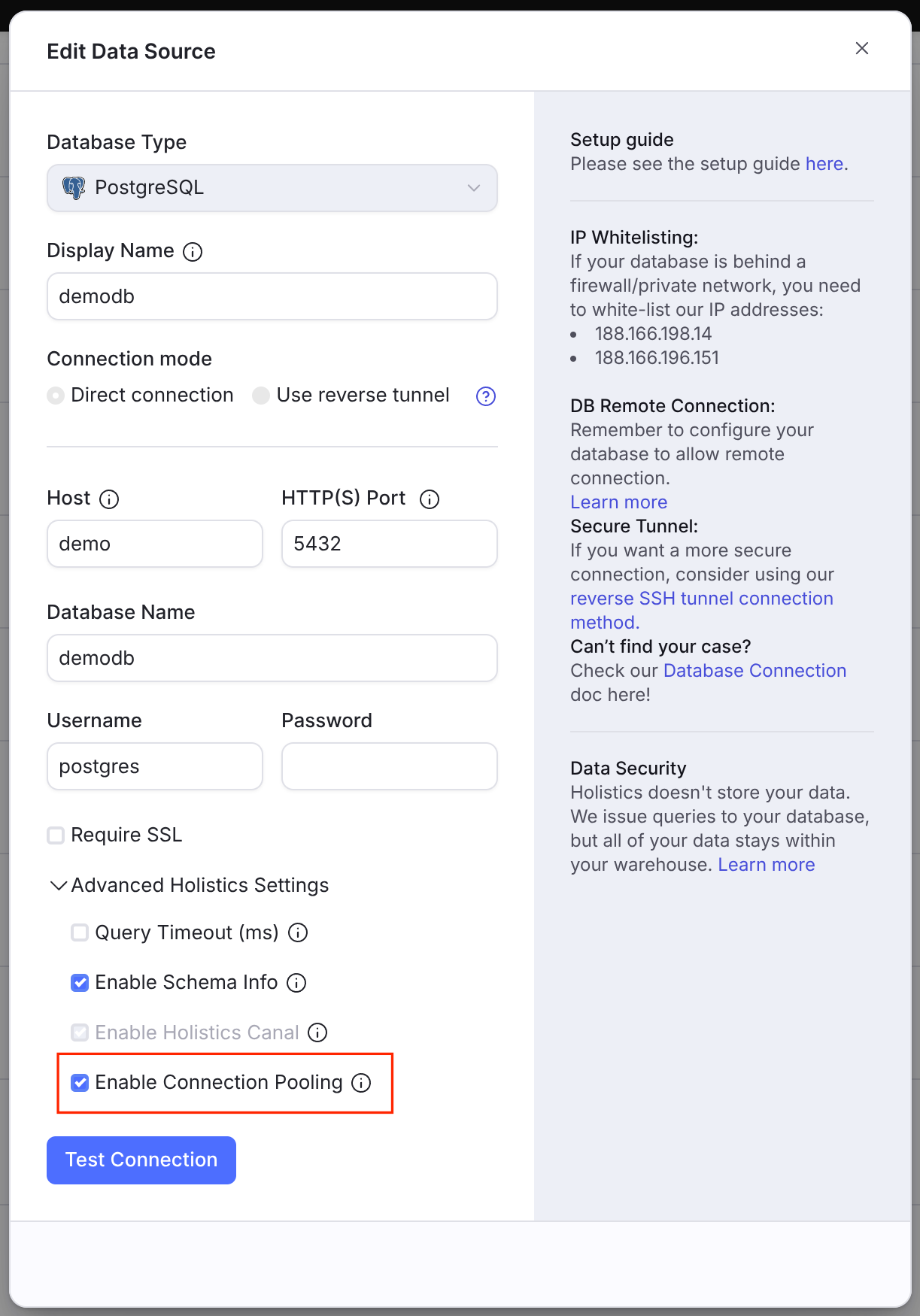
In your Data Source settings, open Advanced Holistics Settings, check Enable Connection Pooling, then Save.
How it works
Once a query finishes, Holistics keeps its connection in a pool instead of closing it, so the next query can pick up the same connection and skip the handshake.
Holistics pings each pooled connection every 15 minutes, using the database's native ping where there is one and SELECT 1 otherwise. The ping both validates that the connection still works and keeps it from being closed for being idle.
These pings do not count as usage. Once a connection goes roughly 3 hours without a real query usage, it is closed and evicted from the pool.
Caveats
Idle warehouses can still cost money
Some data warehouses bill by compute uptime rather than by query (for example Databricks SQL warehouses, Snowflake virtual warehouses, Amazon Redshift Serverless, or MotherDuck). On those platforms the 15-minute ping can register as query activity and reset the warehouse's auto-suspend timer, which means you may be billed for compute that nobody is querying.
The pings stop when the connection is evicted, about 3 hours after the last real query. Your warehouse then suspends one auto-suspend period after that final ping, so it can stay up for roughly 3 hours plus your auto-suspend period after someone last used the data source.
If your warehouse bills this way, weigh that idle uptime against the latency you save.
Disabling it does not drop existing connections
Turning the setting off stops Holistics from re-using connections for new queries, but the connections already in the pool are not closed right away. They are evicted on the usual 3-hour schedule.
If you need them gone sooner (for example to stop a warehouse from staying up), terminate the sessions from your data warehouse side. Holistics will not re-open pooled connections once the setting is off.