Viewer-facing field descriptions
Overview
Viewer-facing field descriptions let anyone who views a dashboard hover over a column header in a table or pivot table and see what the field means. This includes viewers who open the dashboard through a shareable link or an embed link.
Each field on a table or pivot table has a viewer-facing description, separate from its semantic-layer description. Its content can be inherited from the semantic layer or written specifically for viewers:
| Semantic-layer description | Viewer-facing description | |
|---|---|---|
| Where it's written | In your models | Inherited from the semantic layer, or written on the visualization |
| Who can see it | Users with dataset access | Anyone who can view the dashboard, including shareable and embed link users |
| Where it appears | Explore's field selector | Tooltip on table and pivot table column headers |
Key capabilities
- Inherit from the semantic layer: if your semantic-layer descriptions are already written for business users and are safe to show to external viewers, you can turn on one project setting so that every viewer-facing description inherits its content from the semantic layer. You won't have to write them again.
- Make exceptions per field:
- Force inherit: if only a few descriptions are ready for viewers, keep the project setting off and turn on inheritance for just those fields.
- Don't inherit: if a few descriptions contain internal notes or technical details, keep the project setting on and turn off inheritance for just those fields.
- Write a custom description: when a field shouldn't inherit, write business-friendly text for it on the visualization instead. The semantic-layer description stays untouched.
How it works
The viewer-facing description is always visible to dashboard viewers. What you control is where its content comes from. For each field on a table or pivot table, Holistics checks, in order:
- Custom description on the visualization field: if there is one, viewers see it.
- Field override (force inherit or don't inherit): if set, it decides whether the field inherits from the semantic layer.
- Project setting "Inherit field descriptions": otherwise, the field follows this setting.
If a field ends up with no content, no tooltip is shown.
Where to configure it:
- Project setting: turn on "Inherit field descriptions" in Project Settings, under Dashboard & Visualization, or in your project settings AML.
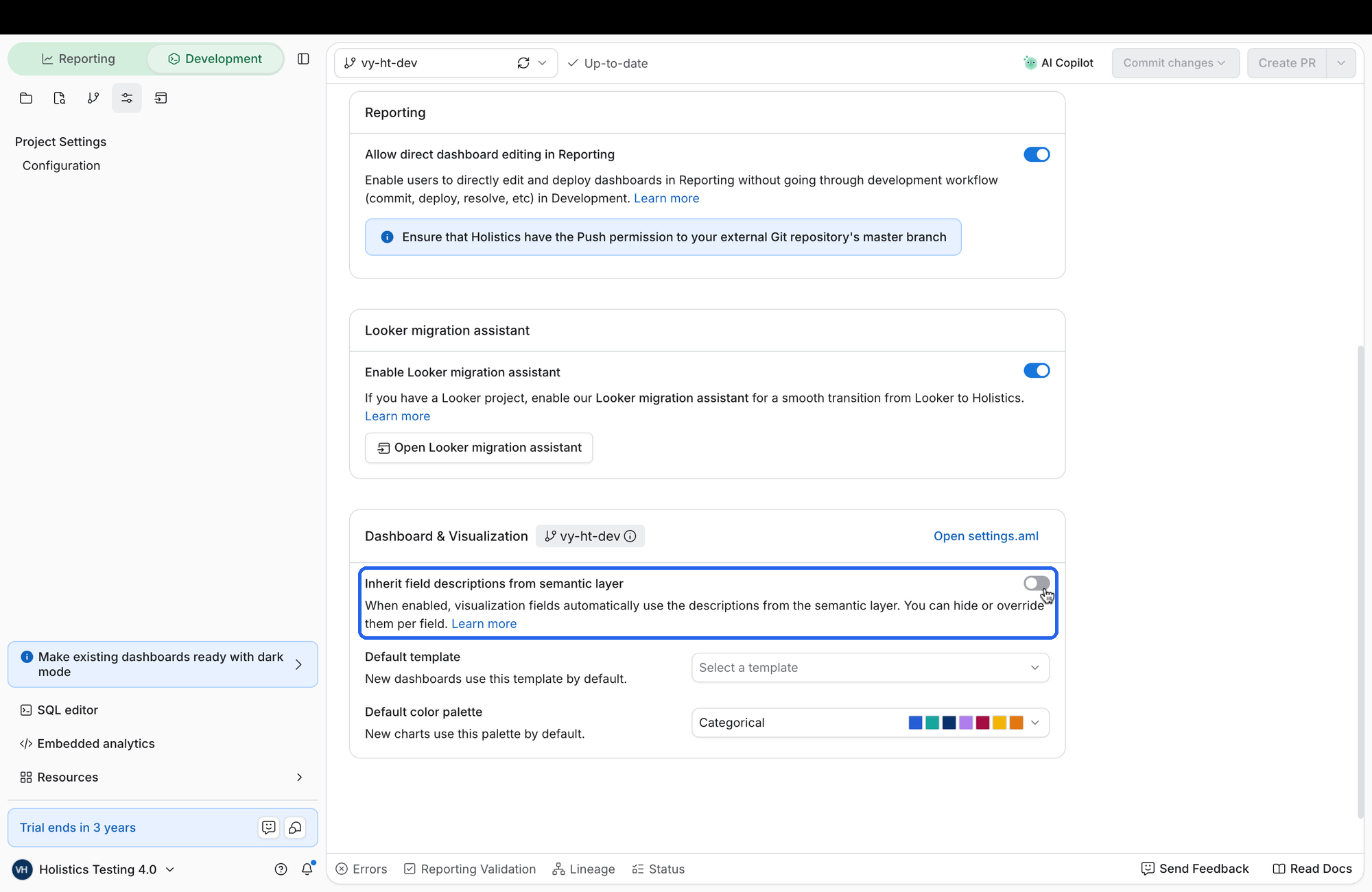
- Field overrides and custom descriptions: override the project setting in your dashboard AML, on the visualization's fields. Set
descriptionto custom text, or to{ type: 'inherit' }or{ type: 'hide' }:
block v_revenue: VizBlock {
  viz: DataTable {
    dataset: demo_ecommerce
    fields: [
      VizFieldFull {
        ref: r(orders.status)
        // Show the semantic-layer description, even if the project setting is off
        description: { type: 'inherit' }
      },
      VizFieldFull {
        ref: r(orders.finance_notes)
        // Don't inherit the semantic-layer description, even if the project setting is on
        description: { type: 'hide' }
      },
      VizFieldFull {
        ref: r(orders.revenue)
        // Write a custom description just for viewers
        description: 'Revenue from completed orders, excluding refunds.'
      }
    ]
  }
}
Defaults:
- For existing projects, "Inherit field descriptions" is off, so your dashboards look the same until you turn it on or add custom descriptions.
- New projects start with it on.
Scope: viewer-facing descriptions appear on tables and pivot tables. Other chart types are not included.