Markdown for analytics context
Overview
Markdown documentation keeps business context inside the project, next to the analytics it explains. Write an ordinary .md file in the Development workspace, and it becomes part of your analytics rather than a separate note.
It is most useful when you need to:
- Share business context: define what a metric means, includes, and excludes.
- Record modeling decisions: explain why a model or field works the way it does.
- Onboard new team members: provide a written guide to the datasets and context they need.
- Give AI agents approved context: provide the same documented context analysts use.
Key capabilities
The feature includes the following key capabilities:
-
Frontmatter as structured metadata: a
---fenced YAML block at the top of a file renders as a readable Properties panel instead of raw text. No schema is enforced, so you choose the fields that fit your team.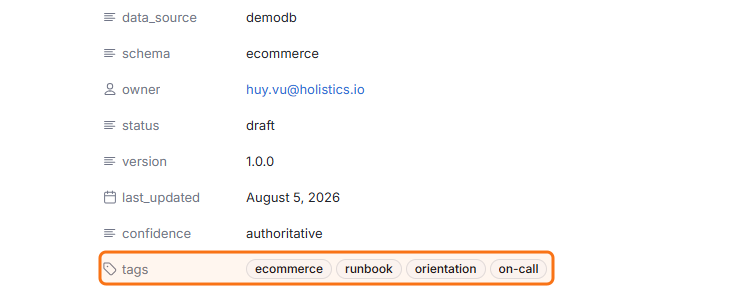
-
Link to another document: a standard Markdown link pointed at another
.mdfile resolves and is clickable.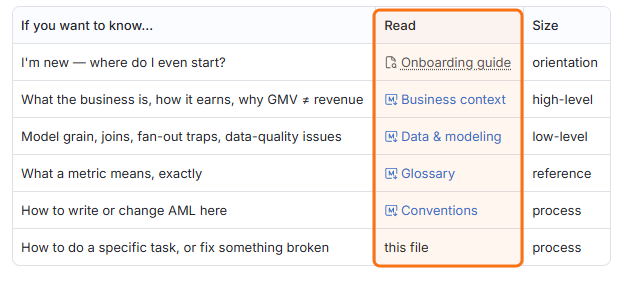
-
Link to a model, dataset, or dashboard: the same syntax works against a
.model.aml,.dataset.aml, or.page.amlfile, and resolves with a hover card.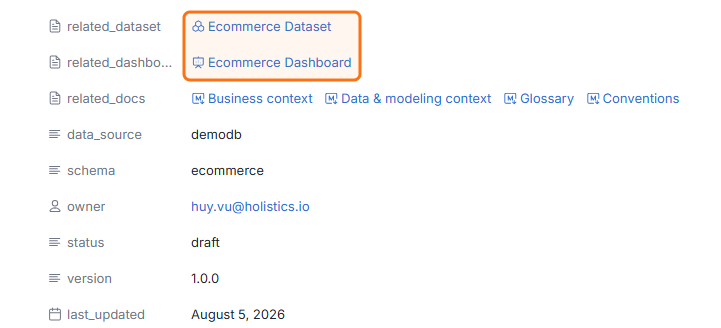
-
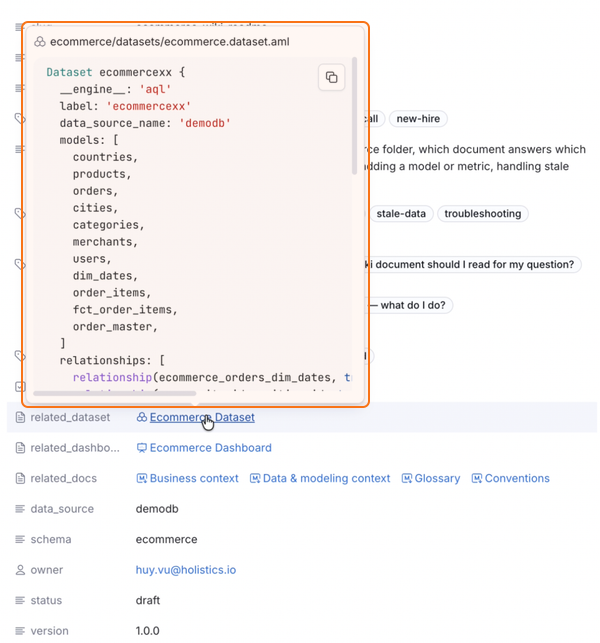
Preview AML source inline: Ctrl+hover a resolved AML link to read its highlighted source without leaving the document, useful for confirming a metric's exact formula from the prose that references it.
How it works
Frontmatter
Add a --- fenced YAML block at the top of any .md file. Holistics parses it and renders the fields as properties.
---
doc_type: dashboard_context
audience: business_users
related_dataset: Ecommerce Dataset
related_models:
  - users
  - orders
---
No frontmatter schema is enforced. Holistics displays any valid YAML you write, so teams converge on their own field conventions (commonly an owner, a status, a document type, and a list of related objects).
Links
Use a standard Markdown link with a root-relative path. The same syntax covers .md documents and AML objects.
Start with the [glossary](/docs/glossary.md) for metric definitions.

Revenue is modelled in [Ecommerce Dataset](/datasets/ecommerce.dataset.aml),
which builds on [orders](/models/orders.model.aml).

Encode spaces in a file name: [Sales Report](/reporting/Sales%20Report.page.aml).
- A resolved AML link carries a hover card, and Ctrl+hover expands it into the file's highlighted source.
- Links resolve to whole files, not to a single metric or report. To reference a metric, link to the dataset file that defines it.
- A path that matches no file in the project renders as "File not found."
Markdown documentation is available in the Development workspace.
Related
- Development Workspace - where you author AML and Markdown files.
- Project Structure - how files are organised in a project.