Connect with SSH Deploy Key
Introduction
The SSH Deploy Key method connects Holistics to your Git repository using an SSH key pair. It works with any Git provider that supports SSH, including GitLab, Bitbucket, Azure DevOps, self-hosted GitLab or Gitea, and GitHub.
Use this method when:
- You're on GitLab, Bitbucket, Azure DevOps, or any other SSH-compatible provider. This is the only supported method for non-GitHub providers.
- You're on GitHub but can't install the GitHub App. For example, your org blocks third-party app installs.
If you're connecting a GitHub repo, the GitHub App method is the recommended path. It's org-level, doesn't require SSH, and sets up PR Workflow in the same flow.
Prerequisites
Before you start, make sure:
- You have a Git repository that is either empty or was previously connected to Holistics. Don't initialize it with a README,
.gitignore, or license. - Your Git provider allows SSH connections. Some organizations restrict SSH at the org level. If yours does, you'll need to ask an admin to enable it, or switch to the GitHub App method if you're on GitHub.
How to connect
-
Create an empty Git repository on your provider of choice.
Regardless of which provider you use, make sure not to initialize the repository with any default files (README, LICENSE, etc.). Below is an example for GitHub:

-
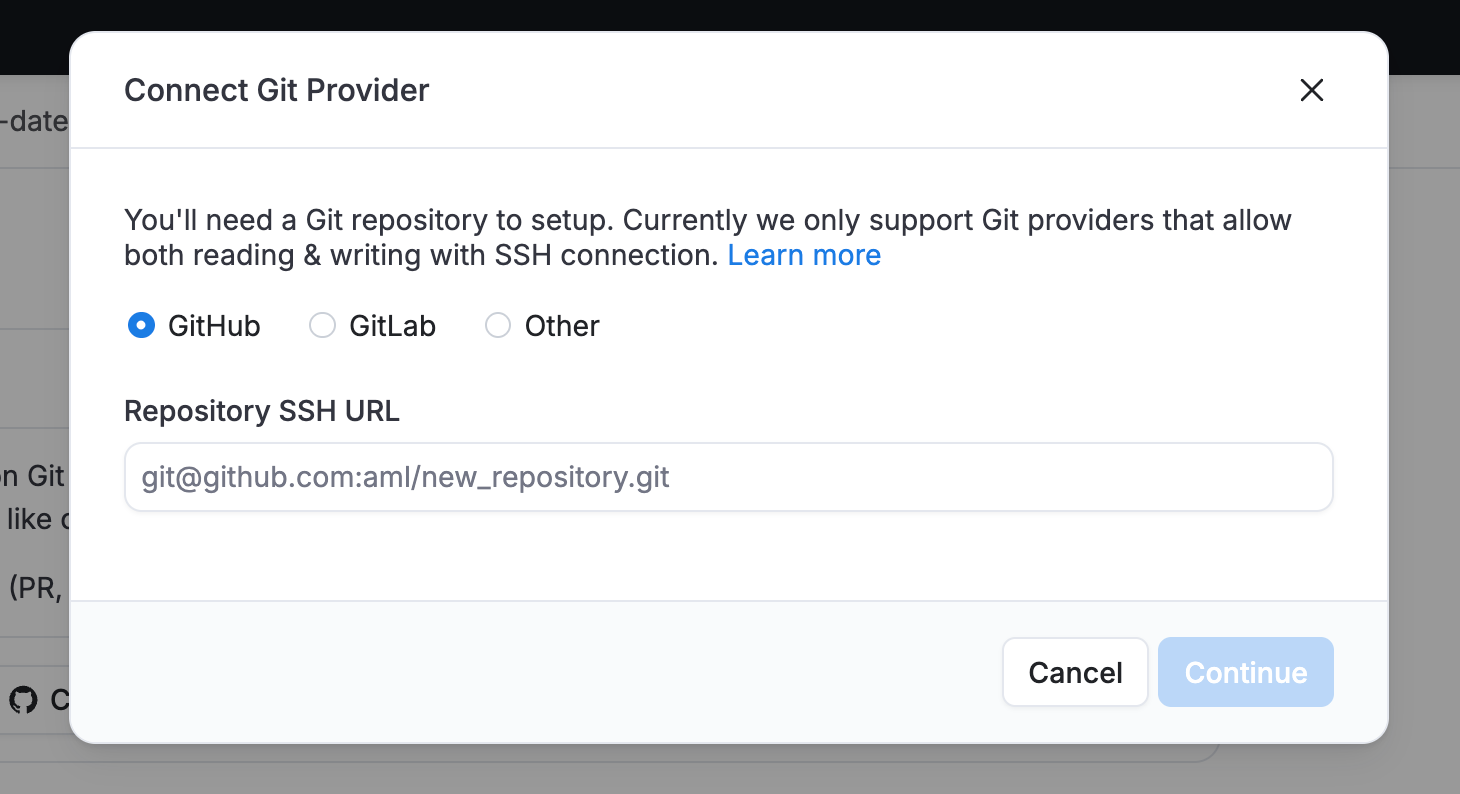
In Holistics, navigate to the Version Control Settings page.
-
In the Connect Git Provider dialog, pick your provider: GitHub, GitLab, or Other (for Bitbucket and any other SSH-compatible provider). For GitHub, also select SSH Deploy Key as the connection method. Enter your repository's SSH URL and click Continue.
-
Holistics generates a Deploy Key for your repository. Copy it and add it to your repository's settings:

Make sure to enable Allow write access. Holistics needs this to sync changes back to your repo.
 info
infoThe Deploy Key is a public key. Even if exposed, it can't be used to access your repository on its own. Learn more in the security section below.
-
Navigate back to the Version Control Settings page and click Test connection.
-
Once the connection is established, Holistics initializes your repository with a
masterbranch and a set of folders, one for each object type that's synced.
Using SSH Deploy Key with PR Workflow on GitHub
If you're connecting a GitHub repo with Deploy Key and want the Pull Request Workflow, you'll also need a GitHub Personal Access Token (PAT). The Deploy Key handles code sync, but PRs need GitHub API access, which only the PAT (or a GitHub App) can provide.
Follow the GitHub PR Workflow setup guide to configure the PAT.
If you're on GitLab, use a Project Access Token instead. See the GitLab MR Workflow setup guide.
Security
Short answer: Holistics only stores the private key on our servers, your Git provider only ever receives the public key, which is harmless on its own.
In more detail, when you connect, Holistics generates an SSH key pair:
- Public key: This is what you paste into your Git provider's settings. Even if exposed, it grants no repository access without the corresponding private key.
- Private key: Stays on Holistics servers and is never exposed. It's protected with multiple layers:
- Encrypted with a passphrase
- The passphrase itself is also encrypted
- Stored in secure infrastructure with strict access controls
Additional security properties:
- The Deploy Key is scoped to a single repository, with no broader account access.
- You control write permissions via the "Allow write access" toggle in your Git provider.
- You can revoke access instantly by removing the key from your repository settings.
- No OAuth tokens or app credentials are stored.
Switching to GitHub App (GitHub users)
If you're on GitHub and want to move to the more secure, org-level GitHub App method, you can switch without recreating your repo:
- In Holistics, unlink your current Deploy Key connection.
- Reconnect via GitHub App, pointing to the same repo.
Branches and commit history are preserved. Only the authentication method changes. You can also revoke the old Deploy Key on GitHub once you're done.