Slack integration
Holistics connects to Slack so your team can stay close to the data without leaving the place they already work. This page is the home for everything the Holistics Slack app can do.
Capabilities
Send reports and dashboards to Slack
Schedule dashboards (or individual tabs) to land in any Slack channel on a recurring frequency, with PNG or PDF attachments and customizable message content.
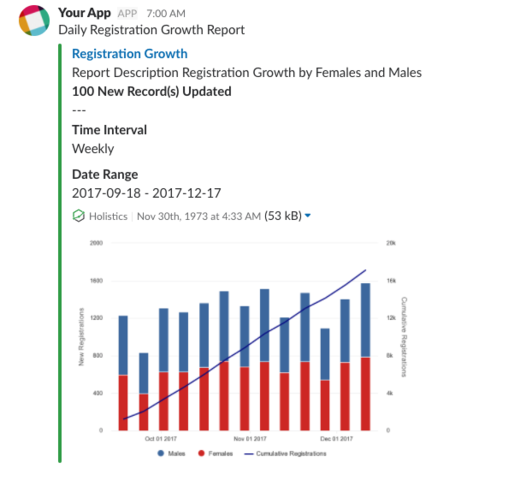
See Send to Slack for setup, message formatting, and managing schedules.
Get notified when data changes
Use Data Alerts to push a Slack message the moment a metric crosses a threshold, instead of waiting for the next scheduled report.
Ask data questions in Slack with AI
Use Holistics MCP + Slack bot to run a self-hosted Slack bot that answers data questions directly in a thread, powered by your AI assistant of choice.
Connect Holistics to Slack
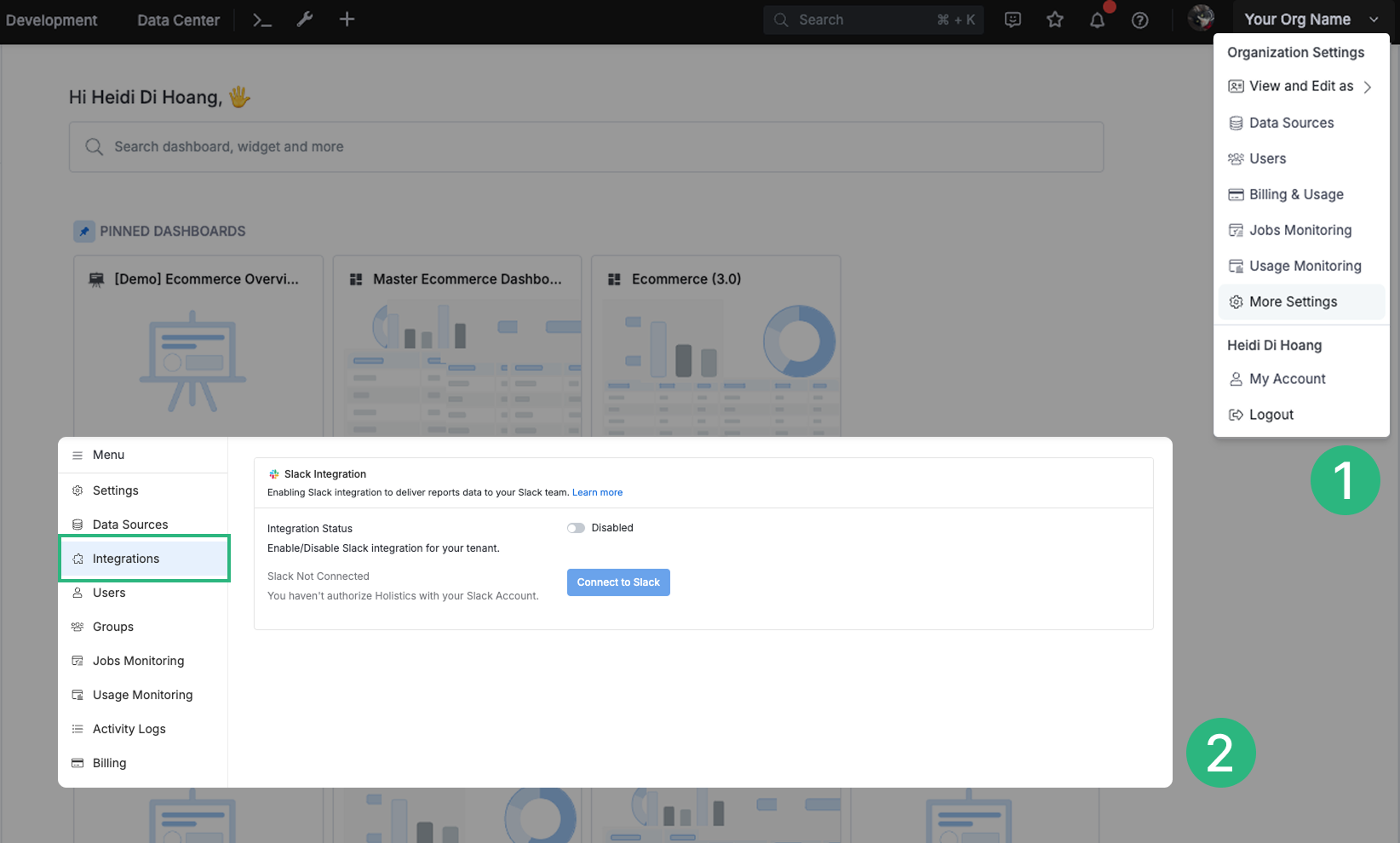
To integrate Slack with Holistics, go to Organization Settings > Integrations:
-
Click Connect to Slack and you will be redirected to the Slack authorization page and asked for a Slack team you want to send to. This authorization process is required for any user since Holistics can only post to Slack channels to which the user has access.

-
The first authorization with Slack requires an admin role. This authorization determines the Slack team connecting to the Holistics tenant. A Holistics tenant can connect to only 1 Slack team at a time.

To change your Slack team or disable Slack integration, go back to Organization Settings > Integrations.
Manage authorizations
To view and manage all Holistics Slack authorizations of your team:
-
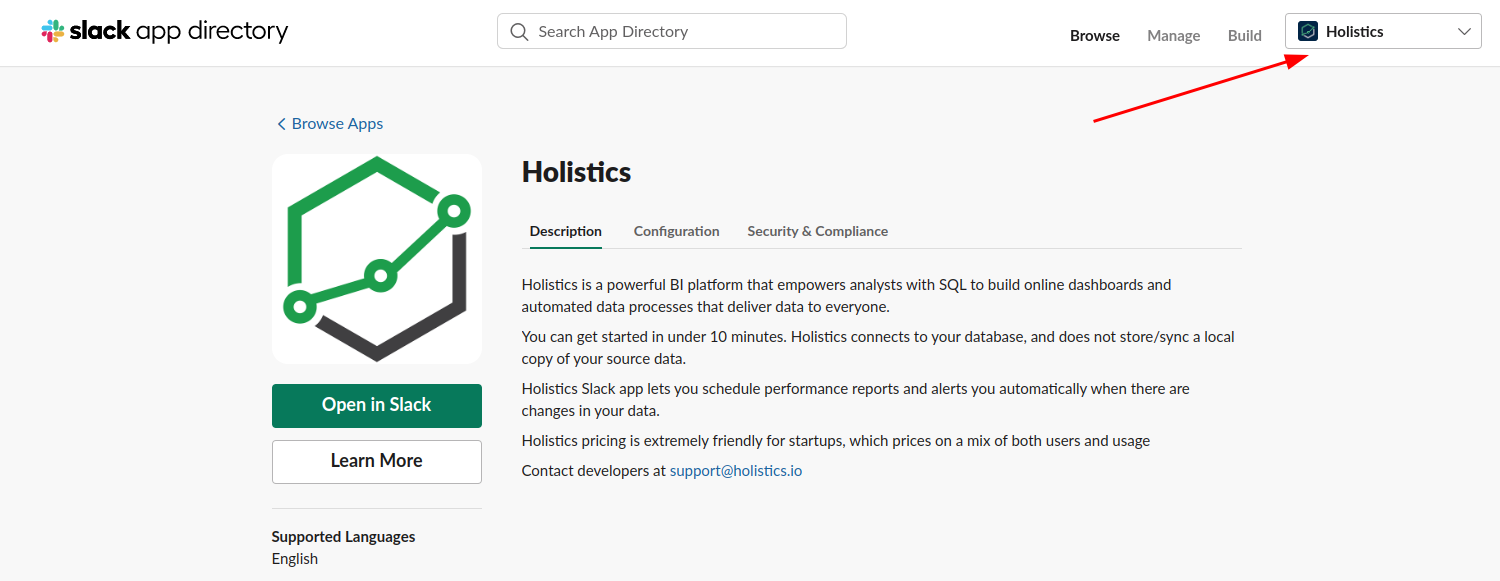
Make sure you have selected the correct Slack workspace in the top-right corner.
-
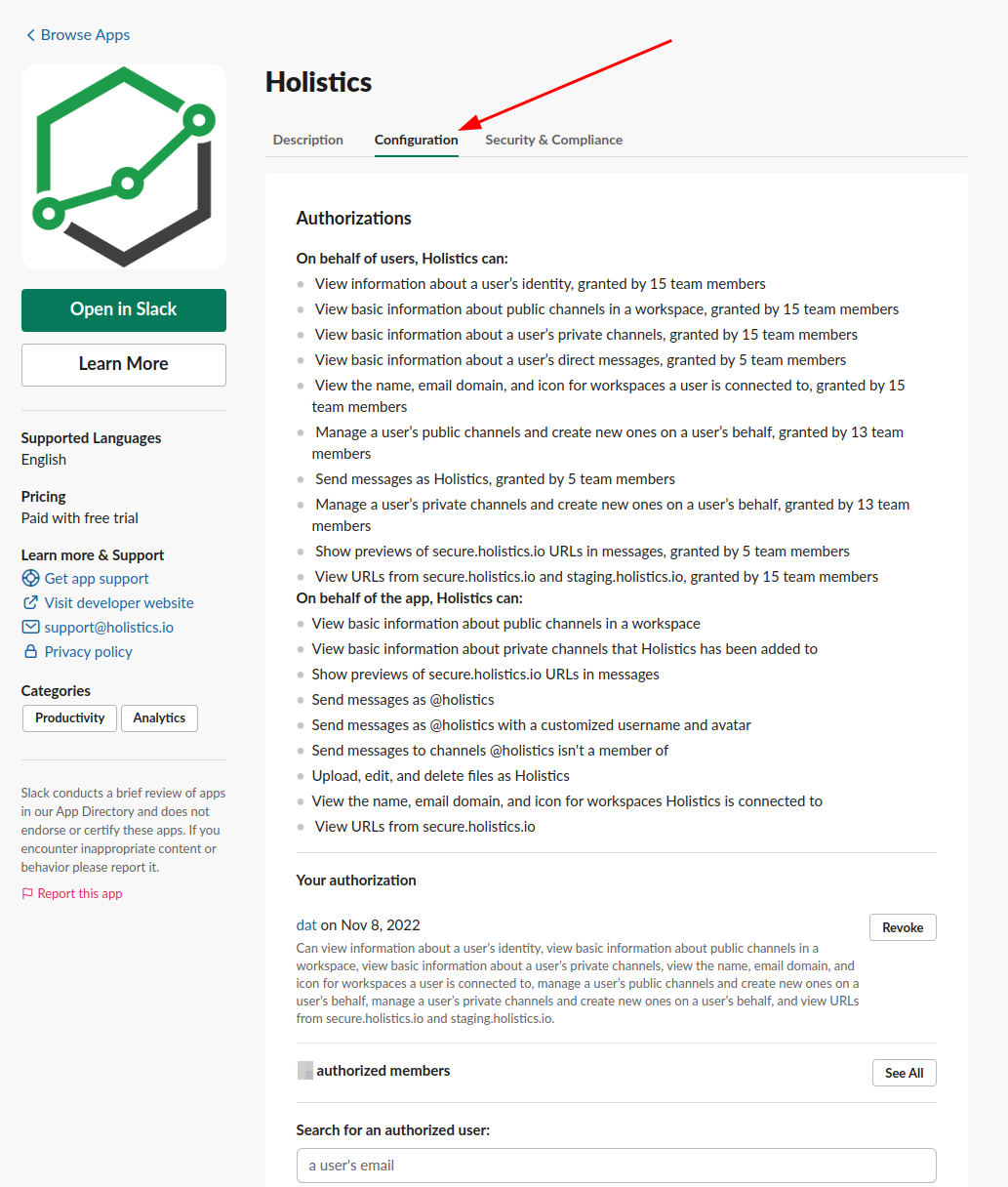
Go to the Configuration tab and manage the authorizations of your team.
Permissions and data handling
Holistics only posts to channels the authorizing user has access to. Reports are uploaded directly to your Slack workspace and follow your Slack plan's file storage limits. Download links Holistics generates for each delivery expire after 1 week.
You may need to re-authorize Slack in Holistics to grant the file uploading permission. Visit the Integration Settings page, in the Slack Integration section, you will be prompted to authorize Slack again if the current token is outdated. Otherwise, if there is no prompt, the Slack token has enough permission and no further action is needed.