Hiring Executive Dashboard
HR & hiring · Light · Single page
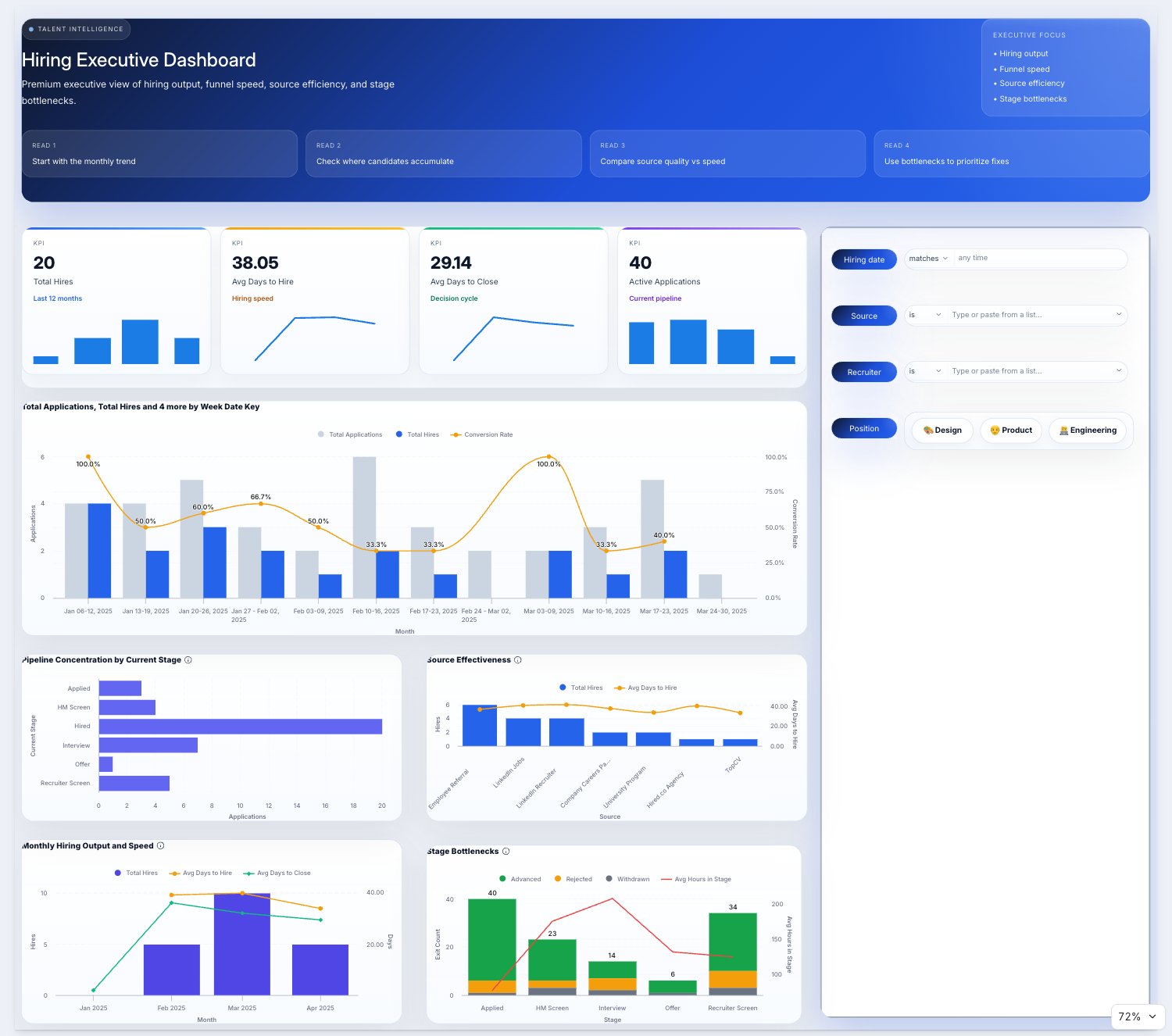
A single page with one idea worth stealing: tell the reader how to read the numbers before they read them.
What makes it work
- A cobalt header with a Read this call-out strip that frames the interpretation up front.
- KPI cards stay to one number and one comparison each.
- The layout is simple enough to rebuild in an afternoon.
- Best suited to an audience that sees the page once a month and needs the context restated each time.
The views
This dashboard is a single scrolling page, shown in full below.
See it live
Open the live dashboard to click through it yourself. No Holistics account needed.
Theme code
The theme this dashboard actually uses, written out as a reusable PageTheme. Paste it into a
.theme.aml file under Development > Library > Themes to reuse it across your own dashboards,
or inline it as a single dashboard's theme: property. Chart colour palettes are set
separately, so they are not included here.
hiring_executive_theme.theme.aml
PageTheme hiring_executive_theme {
  canvas {
    border {
      border_color: "#D7E3F0"
    }
    background {
      bg_color: "#EEF3F8"
    }
  }
  block {
    text {
      font_color: "#334155"
    }
    label {
      font_color: "#0F172A"
    }
    border {
      border_color: "#D7E3F0"
    }
    background {
      bg_color: "#FFFFFF"
    }
  }
}
The theme is paired with custom CSS, which lives beside it rather than inside it. See Custom CSS for where it goes.
Custom CSS
body {
  background:
    radial-gradient(circle at top left, rgba(37, 99, 235, 0.12), transparent 28%),
    radial-gradient(circle at top right, rgba(15, 23, 42, 0.10), transparent 24%),
    linear-gradient(180deg, #F8FBFF 0%, #F4F7FB 100%);
}

.dac-canvas {
  background: transparent;
}

.dac-viz-block,
.dac-ic-block,
.dac-text-block {
  border-radius: 22px;
  border: 1px solid rgba(215, 227, 240, 0.95);
  box-shadow: 0 20px 60px rgba(15, 23, 42, 0.08);
  overflow: hidden;
  backdrop-filter: blur(8px);
}

.dac-viz-block {
  background: linear-gradient(180deg, rgba(255, 255, 255, 0.99) 0%, rgba(248, 251, 255, 0.98) 100%);
}

.dac-ic-block {
  background: linear-gradient(180deg, rgba(255, 255, 255, 0.99) 0%, rgba(250, 252, 255, 0.98) 100%);
}

.dac-viz-block-label,
.dac-ic-block-label {
  color: #0F172A;
  font-weight: 800;
  letter-spacing: 0.01em;
}

.dac-viz-block-label {
  padding-bottom: 8px;
}

.dac-viz-block .text-secondary,
.dac-viz-block .text-gray-500,
.dac-viz-block .text-blue-gray-60 {
  color: #64748B !important;
}

.dac-text-block {
  background:
    radial-gradient(circle at top right, rgba(255, 255, 255, 0.16), transparent 24%),
    linear-gradient(135deg, #0F172A 0%, #1D4ED8 55%, #2563EB 100%);
  color: #FFFFFF;
  box-shadow: 0 28px 70px rgba(29, 78, 216, 0.24);
}

.dac-text-block h1,
.dac-text-block p,
.dac-text-block li,
.dac-text-block strong {
  color: #FFFFFF;
}

.dac-text-block h1 {
  font-size: 34px;
  line-height: 1.1;
  margin-bottom: 18px;
}

.dac-text-block strong {
  opacity: 0.96;
}

.dac-ic-block-label {
  font-size: 12px;
  text-transform: uppercase;
  letter-spacing: 0.08em;
  color: #334155;
}

.dac-viz-block:hover,
.dac-ic-block:hover {
  box-shadow: 0 24px 70px rgba(15, 23, 42, 0.10);
  transform: translateY(-1px);
  transition: all 180ms ease;
}