Promote Ad-hoc Fields
Introduction
In Holistics, not every metric needs to be predefined in the dataset. Users can create ad-hoc fields on the fly while exploring data, so they can answer questions quickly without waiting for the data team.
When an ad-hoc field proves useful, analysts can turn it into a shared, reusable definition. Instead of recreating the same formula across multiple dashboards, you can promote it into a permanent Dataset Metric or Dataset Dimension. This helps teams standardize trusted definitions while keeping exploration fast.
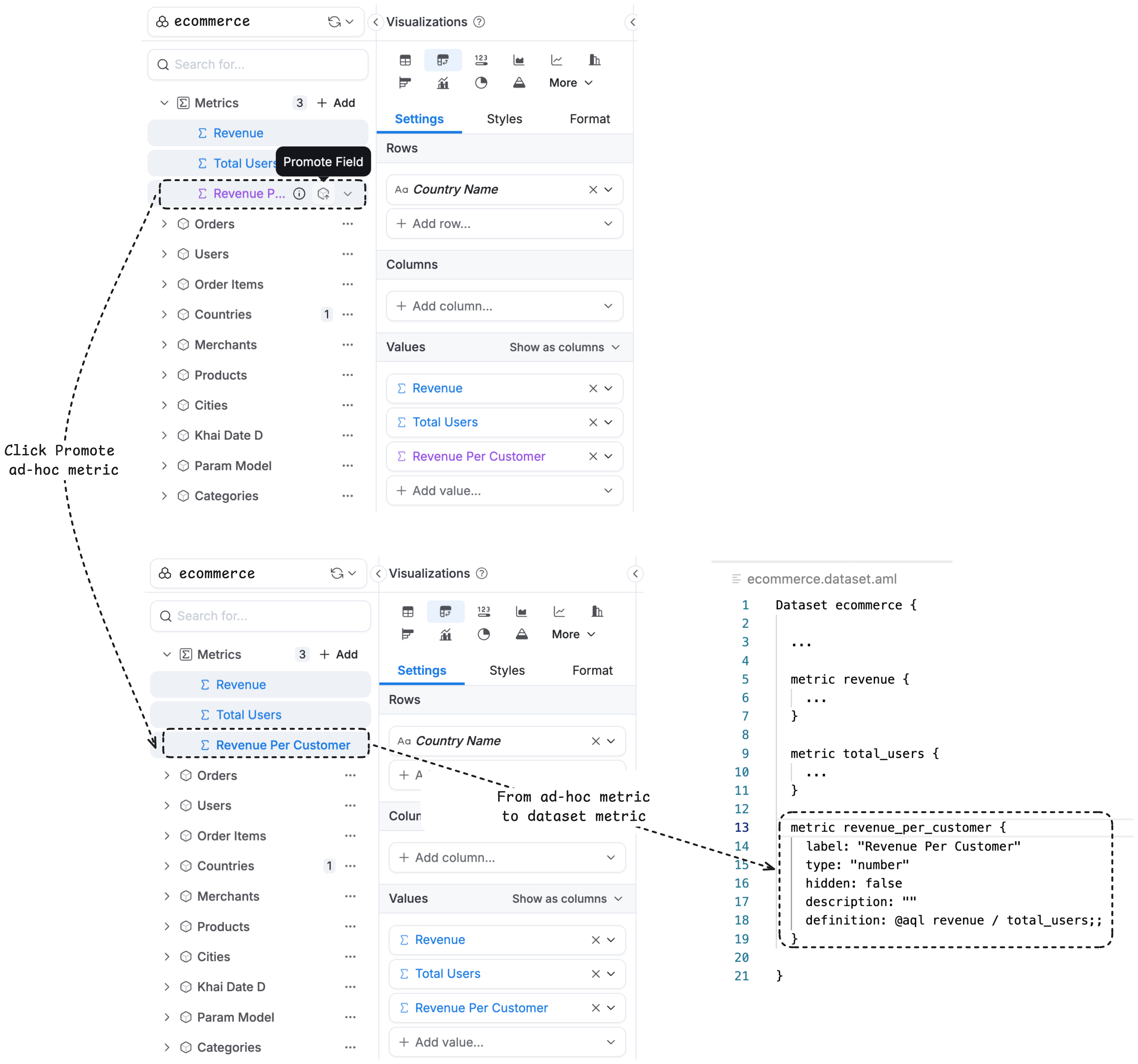
This unlocks two practical workflows:
- Collaboration without sacrificing governance: business users propose metrics by creating ad-hoc fields; analysts review and promote the best ones. Teams move faster while keeping shared definitions consistent and trustworthy.
- Safe iteration for analysts: test calculations in real dashboards, validate results immediately, and promote only when the definition is ready to standardize.
Typical Workflow
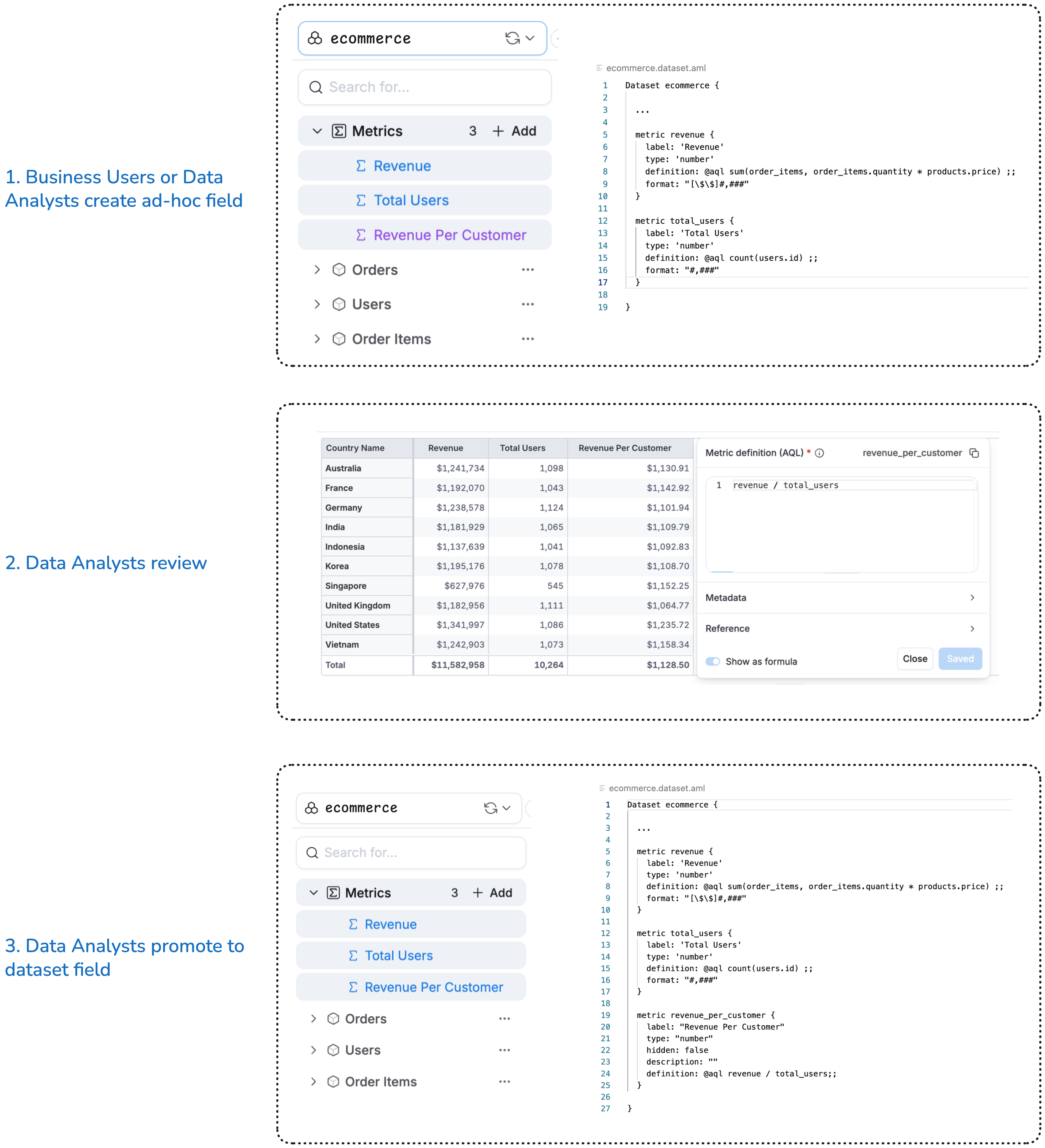
Field promotion follows a natural progression from exploration to standardization:
- Explore: Start by exploring a dataset or building a visualization in a dashboard.
- Create: Add ad-hoc dimensions or metrics to answer specific questions or test new calculations.
- Review: Analysts review the ad-hoc field’s formula and validate that it makes sense for broader use (for example, the right filters, grain, and edge cases).
- Promote: Promote the field into a permanent Dataset Metric or Dataset Dimension so it can be reused consistently.
This workflow lets anyone experiment freely while ensuring only validated, valuable fields become part of the official dataset.
How to Promote an Ad-hoc Field
Once you have an ad-hoc field you want to make permanent, you can promote it from the Development workspace.
- Open the dashboard containing the ad-hoc field in Development mode.
- Locate the ad-hoc field in the visualization settings or data panel.
- Click the
...menu next to the ad-hoc field. - Select Promote to convert it into a permanent dataset field.

After promotion, the field becomes part of the dataset and can be used across all reports and dashboards built on that dataset.
See Also
- Ad-hoc Fields - How to create ad-hoc metrics and dimensions
- Dataset Metrics - Understanding dataset-level metrics
- Dataset Dimensions - Understanding dataset-level dimensions