Single-dashboard embedding
Introduction
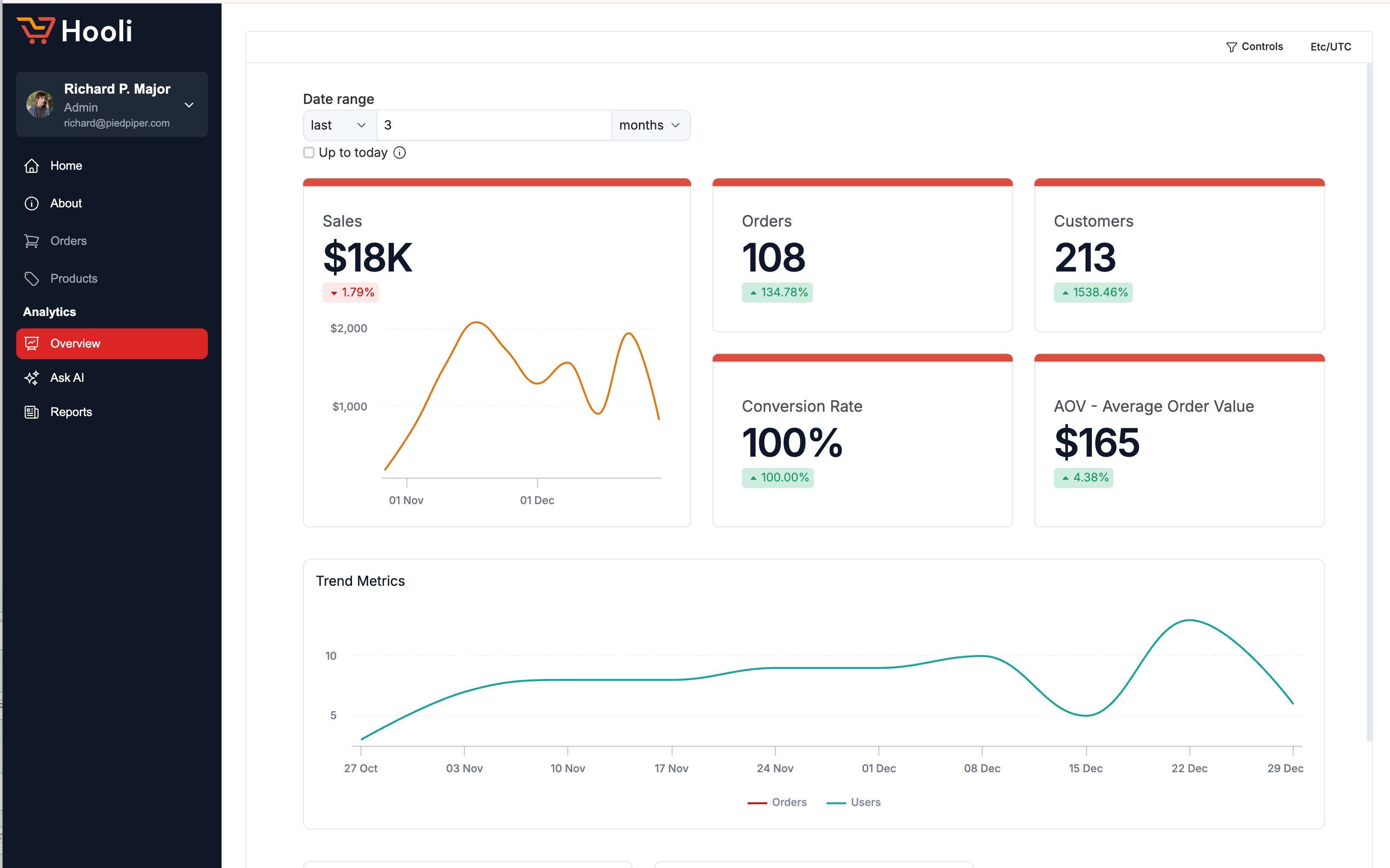
Single Dashboard embedding lets you embed a single Holistics dashboard into your web application via an iframe. Your users see the dashboard directly inside your app with no separate login required. You control what data each viewer can access through row-level permissions.
If you need to embed multiple dashboards or enable self-service analytics for your users, check out Embed Portal.
How it works
On the frontend, the dashboard is loaded in an iframe. The iframe URL contains two pieces of information: an embed_code that identifies the dashboard, and a time-sensitive token that controls what the viewer can see.
On the backend, your server generates the token using a secret key. The token is a JWT that encodes dashboard settings, filter defaults, and row-level permissions for the current user.
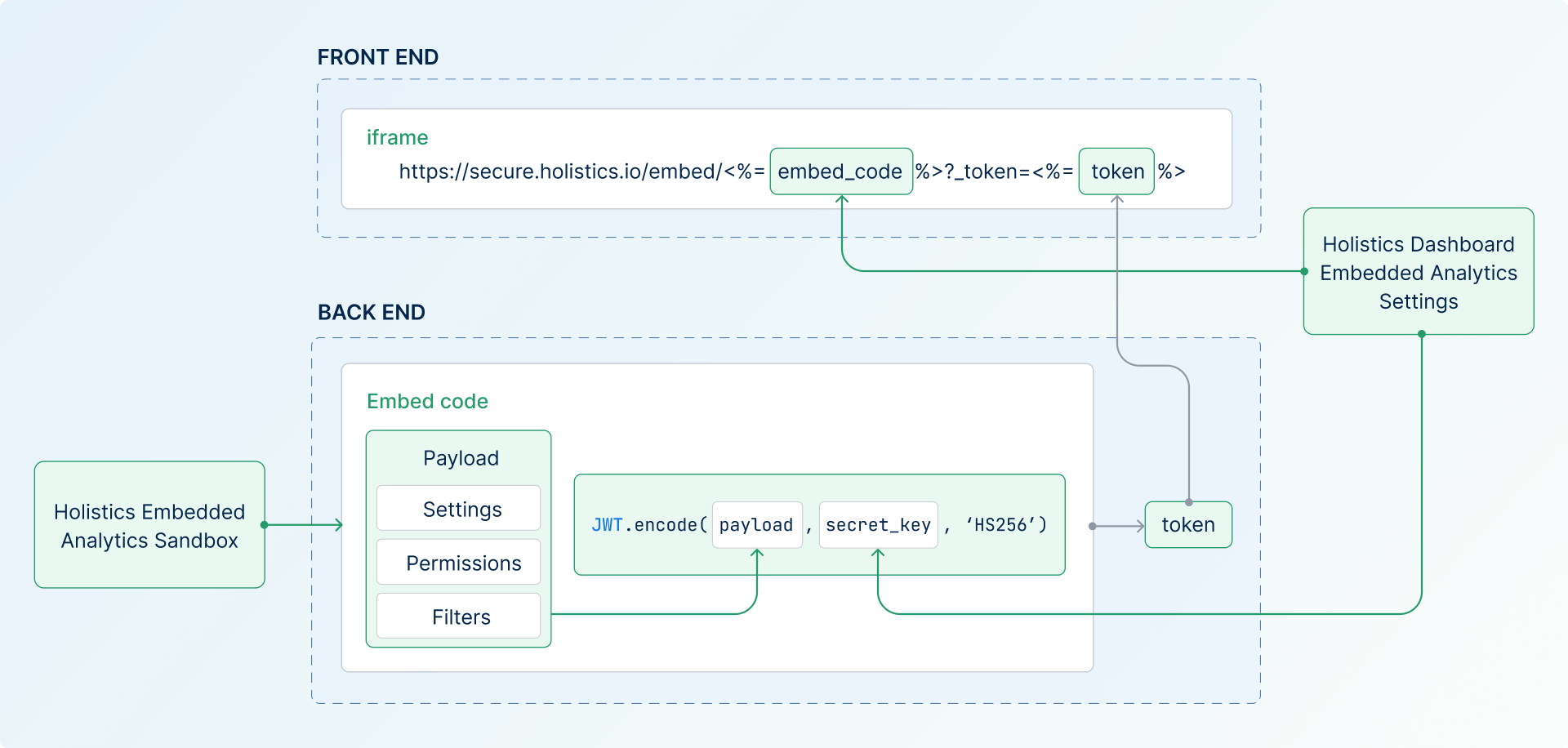
Here's the high-level flow:
- Create an embed link: From your dashboard's settings, generate an
embed_code(identifies the dashboard) and asecret_key(used to sign tokens). - Generate a token on your backend: Build a JWT payload with settings, permissions, and filters, then sign it with the secret key. The Embedded Analytics Sandbox helps you generate this code interactively.
- Embed the iframe in your frontend: Construct the embed URL with
embed_codeandtoken, and add it to your page via an iframe.
Head to the Quickstart for a full walkthrough with code examples in JavaScript, Python, and Ruby.
Next Steps
- → Quickstart - Embed your first dashboard in ~10 minutes with step-by-step code examples
- → Basic Settings - Configure dashboard behavior, appearance, and user controls
- → Permission Settings - Set up advanced row-level data access and security
- → Drill-Through - Enable interactive data exploration and drill-down capabilities
Need help? Check our FAQs or contact support for assistance with your implementation.