Organization-level AI Memory will let admins promote useful insights from individual users' AI memory up to the organization level — surfacing suggestions to improve the semantic layer and dashboards based on real usage patterns.
Today, AI memory is per-user: what one analyst teaches the AI stays with that analyst. Promoting it org-wide means the whole team benefits. Over time, AI gets smarter for everyone, grounded in how your organization actually analyzes data.
AI Usage Analytics will give admins visibility into AI adoption across the organization: who is using AI, what types of questions get asked, and how usage trends over time.
This helps you measure ROI, identify training opportunities, and understand which teams get the most out of AI — so you can double down where it's working and unblock teams where it isn't.
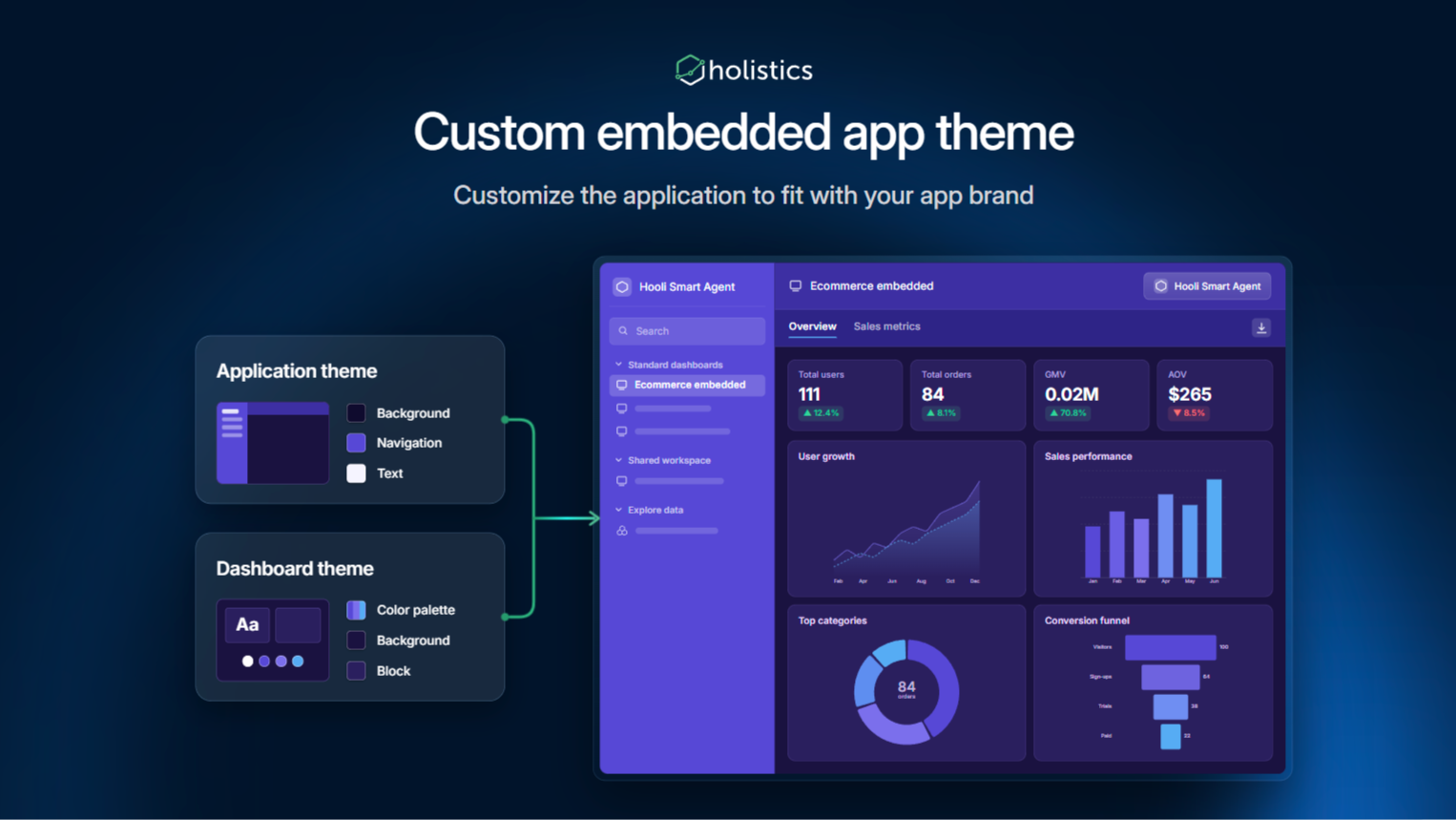
Custom embedded app theme is planned for the Embedded Portal. Admins will be able to fully customize how Holistics looks inside their host app, matching brand colors, dark mode, and visual identity across the entire embedded experience.
Previously, embedded Holistics always rendered in light mode regardless of the host app's theme or brand colors. Now you can pass visual context via the embed payload and Holistics will adapt accordingly.
What's included:
App theme: Configure colors for UI elements inside the iframe (navigation bar, dashboard header, AI panel, etc.) via embed payload
Dashboard theme: Dynamically apply a pre-configured dashboard theme to all embedded dashboards via embed payload
Many teams build a "start here" dashboard, like a report glossary, KPI overview, or onboarding page. But it sits one click away from Home, so occasional users rarely find it. Custom homepage puts it where everyone lands.
Dashboard viewers can now hover over a column header in a table or pivot table and see a viewer-facing description of the field. This includes viewers on shareable and embed links.
Previously, field descriptions were only visible in Explore's field selector. Business users rarely opened it, and users on shareable or embed links couldn't open it at all, so the context analysts wrote never reached the people reading the dashboard.
Showing semantic-layer descriptions as-is isn't always safe either. The same description is often written for several audiences at once (AI, other analysts, business users), and can contain technical details or internal notes that aren't meant for clients.
To solve this, we've introduced the viewer-facing description: a description on each field in a table or pivot table, written for the people reading your dashboards and kept separate from the semantic-layer description:
Semantic-layer description: written in your models, visible only to users with dataset access, same as today.
Viewer-facing description: what dashboard viewers see in the tooltip. Always visible to anyone who can view the dashboard.
You decide where each viewer-facing description gets its content from:
Inherit from the semantic layer: if your semantic-layer descriptions are already written for business users and are safe to show to external viewers, turn on "Inherit field descriptions" in Project Settings. Every viewer-facing description then inherits its content from the field's semantic-layer description, so you don't have to write them again for viewers. You can also make exceptions for specific fields:
Force inherit: if only a few descriptions are ready for viewers, keep the project setting off and turn on inheritance for just those fields.
Don't inherit: if a few descriptions contain internal notes or technical details, keep the project setting on and turn off inheritance for just those fields.
Write a custom description: when a field shouldn't inherit, write business-friendly text for it on the visualization instead. The semantic-layer description stays untouched.
Default setting: for existing projects, "Inherit field descriptions" is off, so your dashboards look the same until you turn it on or add custom descriptions. New projects start with it on.
Configuration: the project setting is available in Project Settings. Field-level overrides and custom descriptions are configured in AML.
Empty descriptions: if a field has no inherited or custom content, no tooltip is shown.
Data Lineage shows what a model, dataset, or dashboard is built from and what depends on it, in a panel below the code in the IDE. Because it is compiled from your own project code, it stays accurate, so you can change things with confidence and trace any number back to its source.
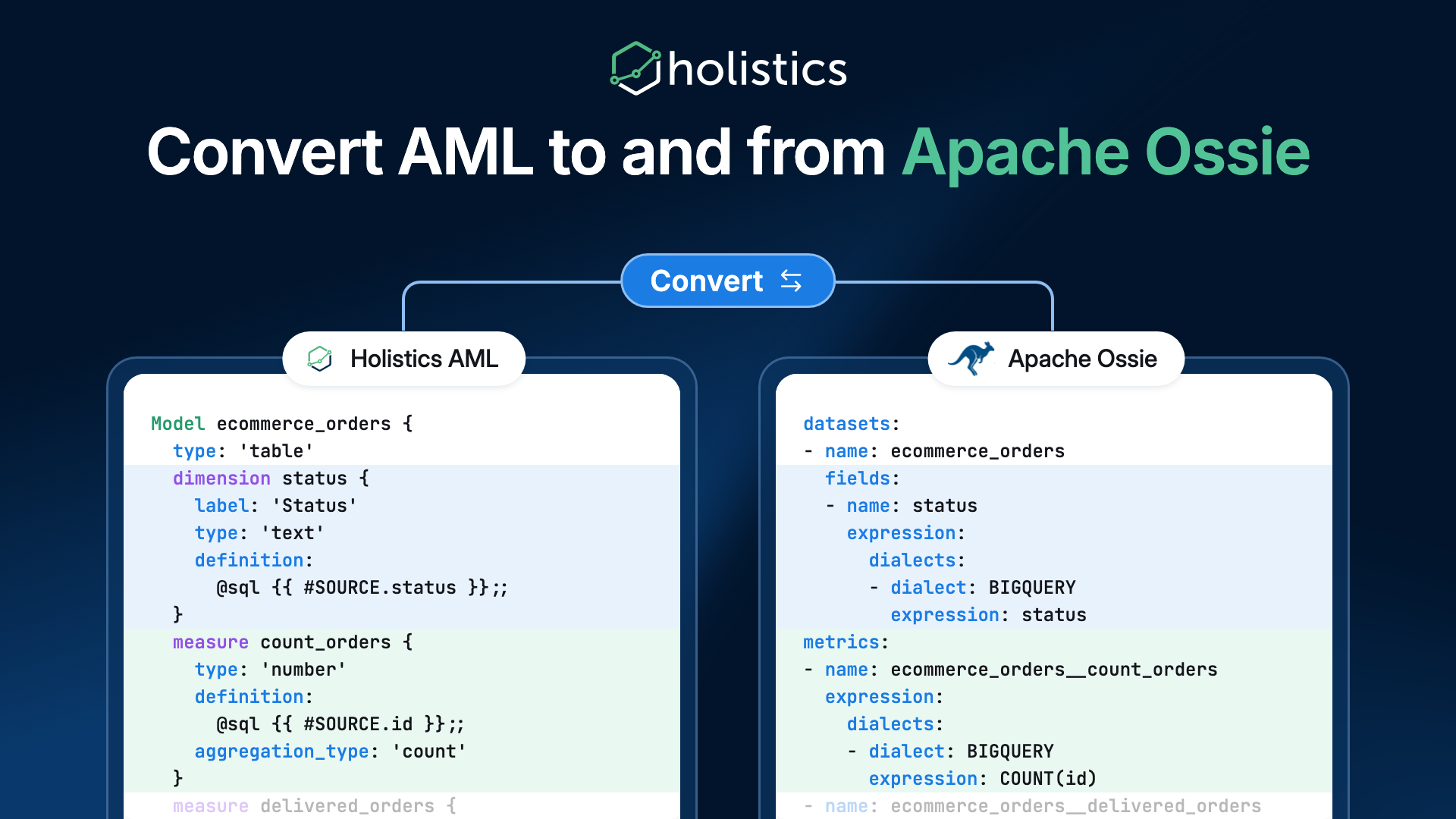
You can now convert between Apache Ossie and AML in both directions. Apache Ossie (formerly Open Semantic Interchange, or OSI) is the open, vendor-neutral format for exchanging semantic models between tools.
Previously, a Holistics semantic layer lived only in AML, with no standard way to move it to or from another tool. Now you can:
Export an AML dataset to an Ossie model, so any tool that reads Ossie can use your Holistics definitions.
Import an Ossie model as AML files, so a model built in another tool comes into Holistics without being rewritten.
The converter is open source and lives in the Apache Ossie repository. It runs on your machine with the Holistics CLI, and needs no Holistics account or warehouse connection. Holistics is also listed on the Apache Ossie ecosystem page.
New in Holistics: you can now add reference lines to charts directly in your dashboards, without opening the Explore modal.
This is the first step of something bigger. We're bringing common analyses into the dashboard through the Analyze menu, a lightweight exploration layer that lets business users interrogate their data right where they read it.
Business users often want to quickly explore a dashboard chart: spot a trend, compare against a benchmark, or look at a previous period. Until now, all of these meant opening the Explore modal and working through the chart settings, which has many options they don't need. Now they can do it in a few clicks, right on the dashboard.
Open the Analyze menu on a dashboard chart and select Reference line. Use Quick mode to apply it across the whole chart in one click, or Advanced mode to set it up for each metric. Every analysis in the Analyze menu works the same way:
Temporary and only for you: Like filters, analyses you add apply only to your view and aren't saved to the chart.
Included in widget exports: Widget exports include the analyses you added. Dashboard exports don't.
Continue in Explore: If you open Explore, your analyses come with you so you can keep refining them.
Trend lines are the next analysis you can add directly on dashboard charts, after reference lines. Pick a trend type and see right away whether your metrics are going up or down, without needing to open the Explore modal.
Open the Analyze menu on a dashboard chart and select Trend line. Use Quick mode to apply it across the whole chart in one click, or Advanced mode to set it up for each metric. Every analysis in the Analyze menu works the same way:
Temporary and only for you: Like filters, analyses you add apply only to your view and aren't saved to the chart.
Included in widget exports: Widget exports include the analyses you added. Dashboard exports don't.
Continue in Explore: If you open Explore, your analyses come with you so you can keep refining them.
Build any layout you want: reports, slides, newspaper-style pages, or anything else you can design.
Reuse existing interactions and permissions: filters, drill-downs, cross-filtering, and row-level and column-level permissions work on each block exactly as before, because only the layout changes.