The branch selector is replacing the Production/Development mode switch, giving you a simpler, cleaner interface to move between Production and development work.
New navigation is coming to Holistics: one universal sidebar for the whole app. Dashboards, data, and tools now live in one place, with more room for your data, and the black header is gone.
The sidebar is where you browse content, switch tabs, and find the key actions.
For data builders, Reporting and Development are now two clear modes in the sidebar. The sidebar stays in place while its content changes to match the mode you are in, so you can explore and build without losing your place.
What you see in the sidebar follows your role:
Admins and analysts get both environments, with SQL editor, Embedded analytics, and Resources in the bottom section.
Explorers get datasets and dashboards, with favorites, search, and create in the top row.
Viewers get the dashboards they have access to, with favorites and search in the top row.
The new navigation arrives with the new dark mode, and together they give Holistics a more modern look and feel.
Version 4.0 workspaces get the new navigation by default. Earlier versions keep the current navigation for now.
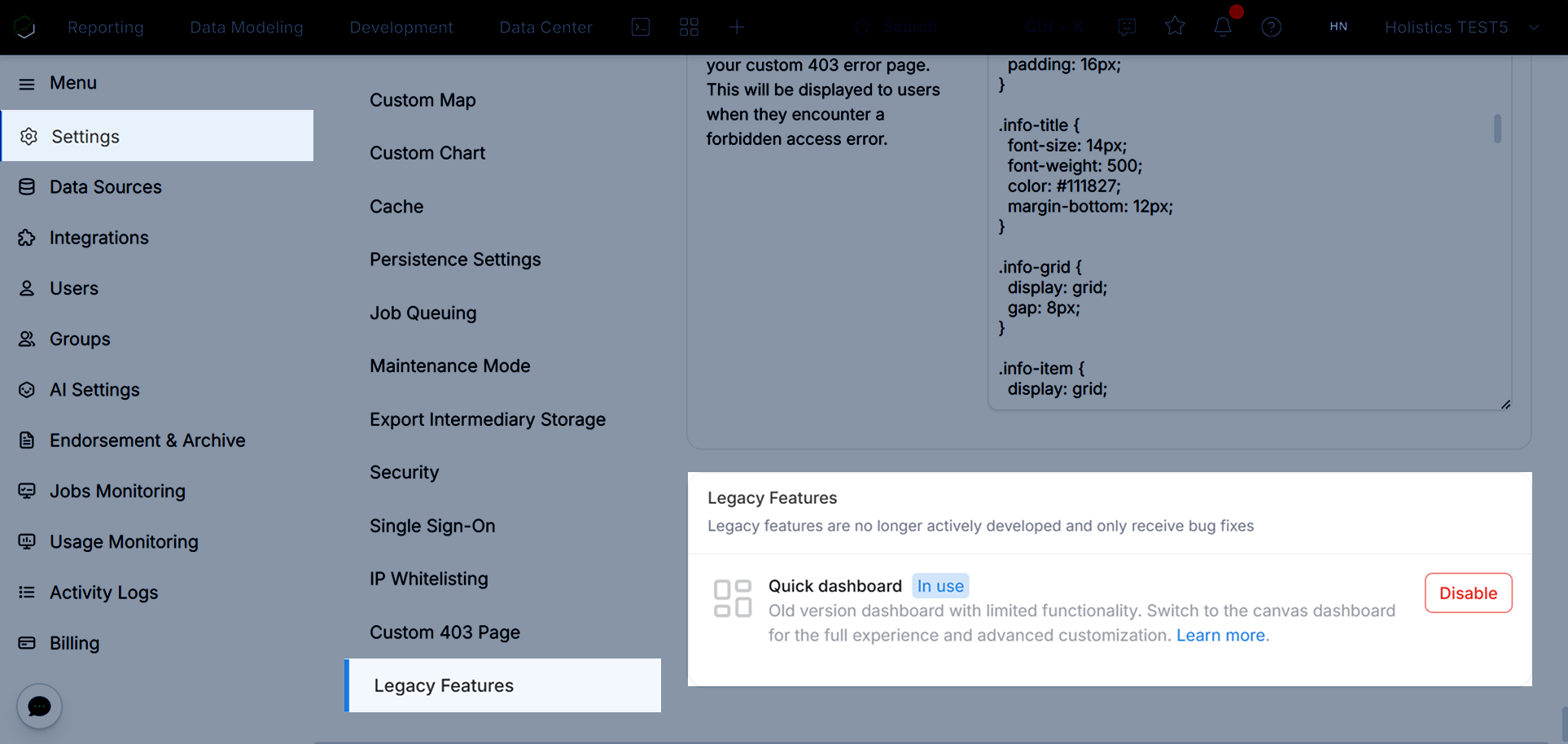
For 4.0 accounts created before 10 Feb 2026, having two dashboard types could confuse your end-users.
By deprecating the quick dashboard, your organization can go all-in on canvas dashboards with full capabilities and future improvements: version control, flexible layouts, modern visualizations, and more. Learn about canvas dashboard
Previously, Holistics 4.0 offered a dual-track system of Canvas dashboard and Quick dashboard, which often created an unnecessary hurdle for new users. Sometimes, it even led them toward legacy dashboard version by mistake.
By deprecating the old dashboard, we’re ensuring that everyone experiences the full potential of our modern dashboarding capabilities such as version control, flexible layout and customization, etc. from day one.
There is currently no finalized deprecation date for quick dashboards in existing accounts. The earliest potential timeframe is the end of 2026, and we will provide at least a six-month advance notice before any deprecation takes effect.
However, we strongly recommend you consider using canvas for any new dashboard work to take advantage of our latest capabilities.