AI Data Access & Policy
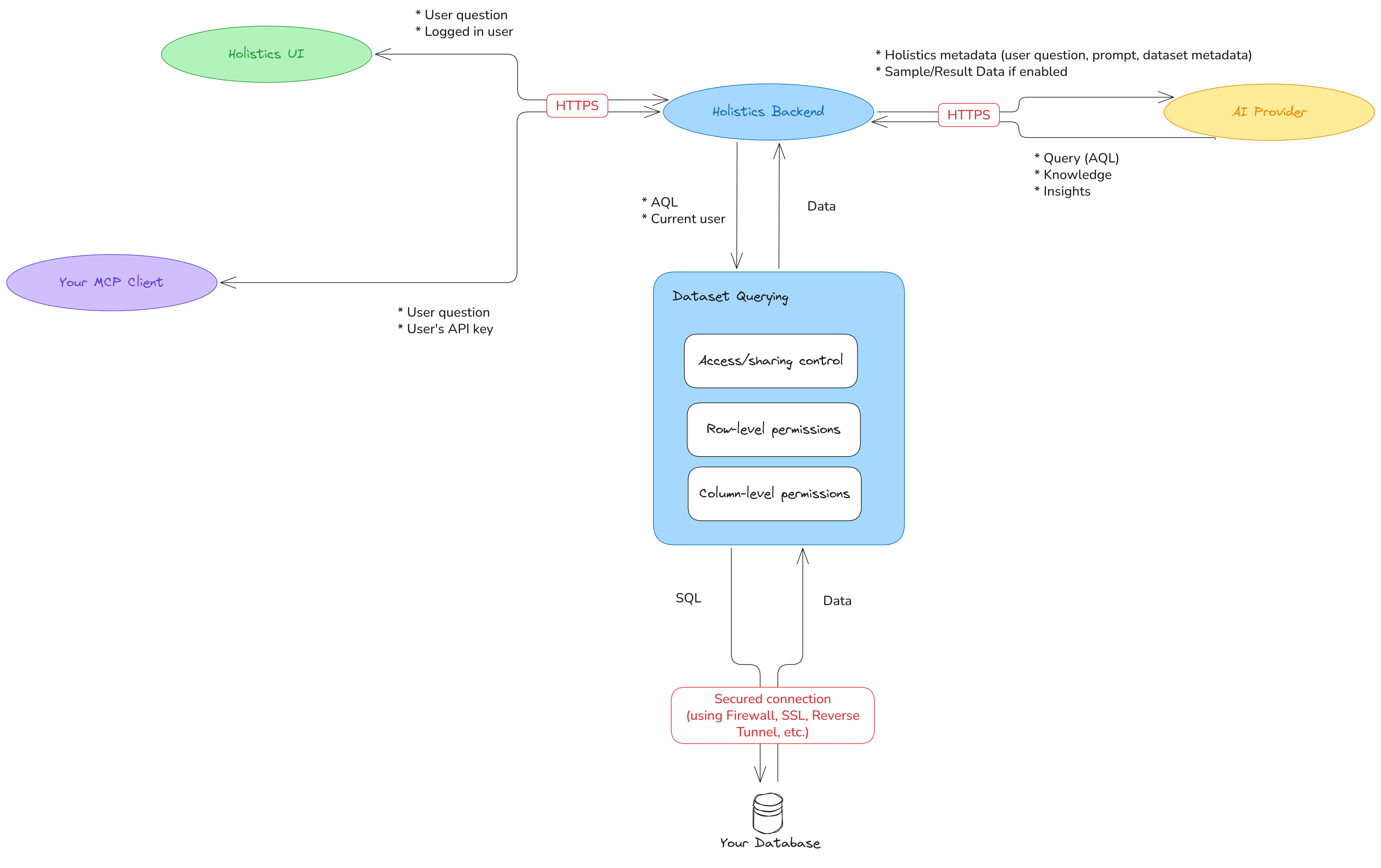
Holistics AI is designed with data security in mind. This page explains what data is sent to AI providers, how it's handled, and what controls you have.
What data Holistics AI can access
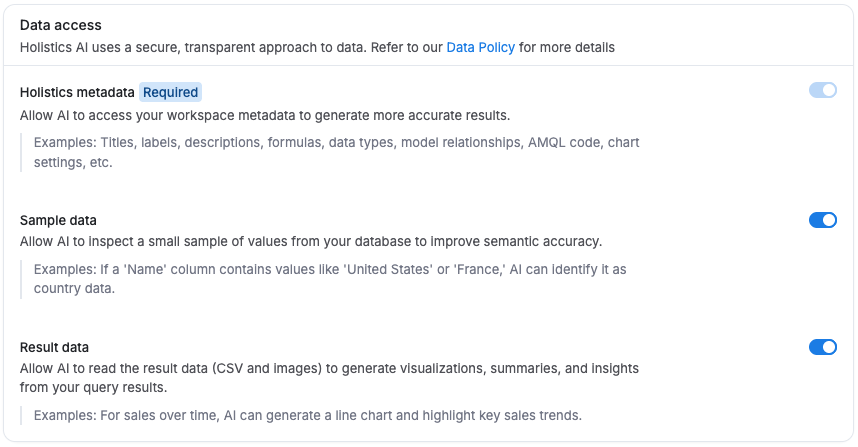
To generate accurate, context-aware responses, Holistics AI may use three types of data:
- Metadata: Information about the Holistics objects you're working with: titles, labels, descriptions, text blocks, data types, model relationships, formulas, chart settings, AQL code, and git commit messages.
- Sample data (optional): A small sample of values from the source database columns you're working with. Enables AI to understand data structure and patterns for more accurate results.
- Result data (optional): The output data from charts you're working with, in CSV or image format. Enables AI to provide summaries, insights, and analysis.
Data shared by feature
Each AI feature uses only the data it needs. Enabling optional data types (sample data and result data) gives AI more to work with and leads to more accurate, insightful responses.
For example, when exploring data: metadata is always required, sample data improves filtering accuracy, and result data enables automated summaries and post-query analysis.
| Feature | Metadata | Sample data | Result data |
|---|---|---|---|
| Explore data | Required | Optional | Optional |
| Visualize data | Required | Optional | Optional |
| Dashboard Ask AI (get explanations, insights or summaries) | Required | Optional | Optional |
| Development copilot (build datasets, dashboards or any analytics codes in Development) | Required | Optional | Optional |
| Generate metadata (field, tag, dataset descriptions) | Required | Optional | — |
| Generate commit and PR description | Required | — | — |
| Get instructions | — | — | — |
Manage data access
You can manage data sharing under Organization settings > AI settings > Data access.
Redact data for AI
By default, Holistics AI runs every query as the user asking it, so it sees exactly what that user is permitted to see (no more, no less).
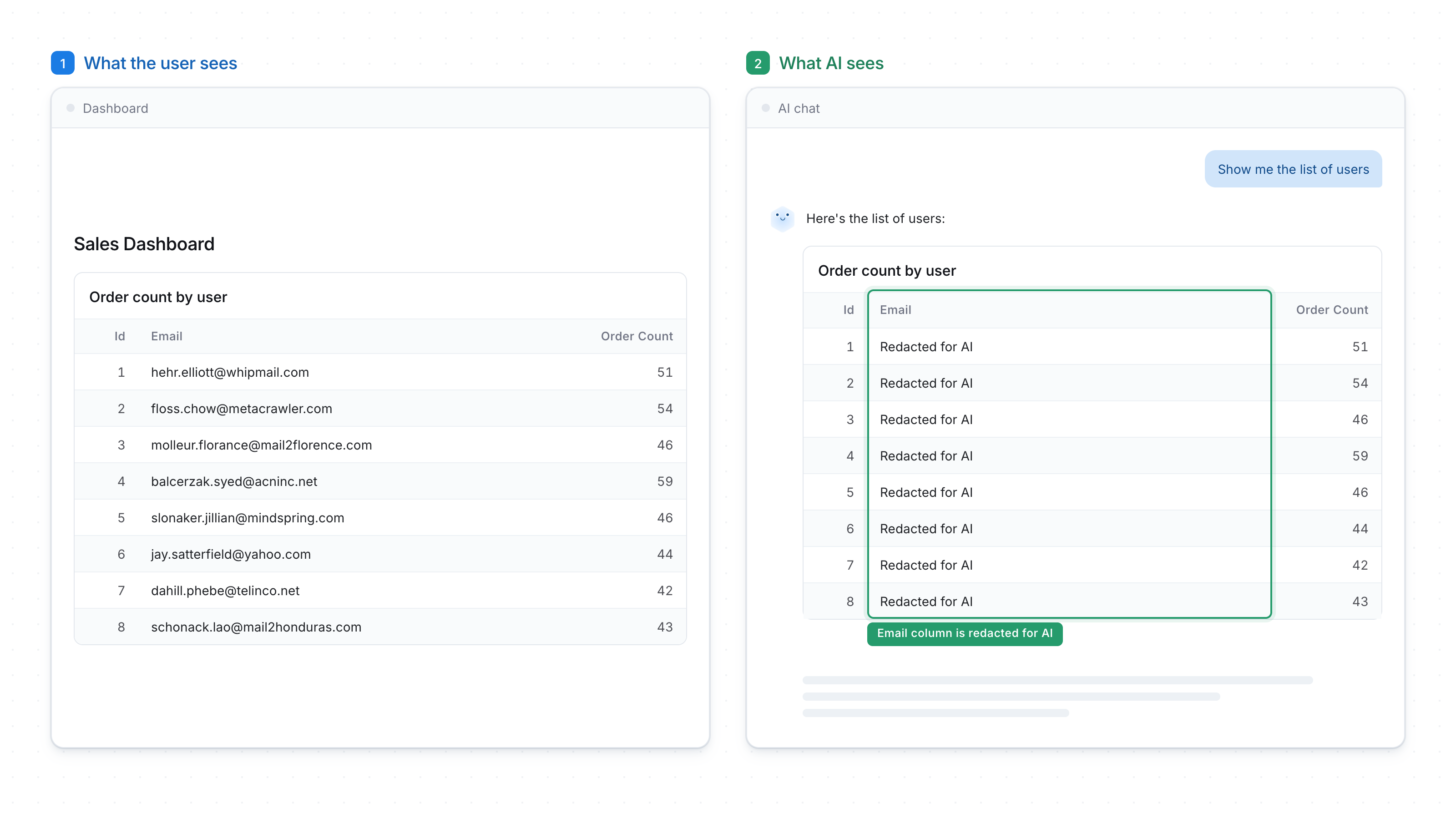
If you need to restrict certain sensitive information (such as PII data) to the AI, while still allowing end users to see them, you can also make your semantic layer answer AI differently than it answers the person asking.
For example, a support lead still sees real customer emails on their dashboard, while AI reading that same chart gets Redacted for AI:
Learn more at Redact data for AI →
Data policy
AI provider data protections
Holistics uses OpenAI APIs by default, with the following protections in place:
- Zero Data Retention (ZDR) is enabled: OpenAI does not store your data after processing.
- Data sharing with OpenAI is disabled: your data is not used for training.
- API call logging by OpenAI is disabled.
- All processing follows OpenAI's usage policies and API data policies.
If you use your own AI provider, you are responsible for configuring data and security controls on your provider's platform, including data sharing and retention settings.
Holistics' storage and retention
- AI conversations are stored for 30 days, after which they expire and are deleted.
- Conversations are encrypted at rest.
How queries are executed
As noted above, queries run as the requesting user, so your existing permission controls (user roles, row-level permissions, and column-level permissions) apply exactly as they would in normal Holistics usage. The exception is when you deliberately configure one: with redaction for AI enabled, your semantic layer can return less to AI than it returns to the user who asked.
The AI provider:
- Does not have direct access to your database
- Cannot write or execute SQL directly: it generates AQL only, which Holistics executes through standard permission controls
Sample data and result data are only transmitted to the AI provider if explicitly enabled in your AI Settings. All data is transmitted over secured connections.