Ad-hoc Fields
Introduction
Ad-hoc Fields give you the flexibility to create custom calculations on the fly without modifying your data models.
When building a report, you might need a formula that isn’t available in your dataset. Instead of waiting for the Data Team to prepare new fields in the datasets, you can create custom metrics and dimensions (called Ad-hoc Fields) directly in your report.
This is especially useful for quick analyses and one-off calculations.
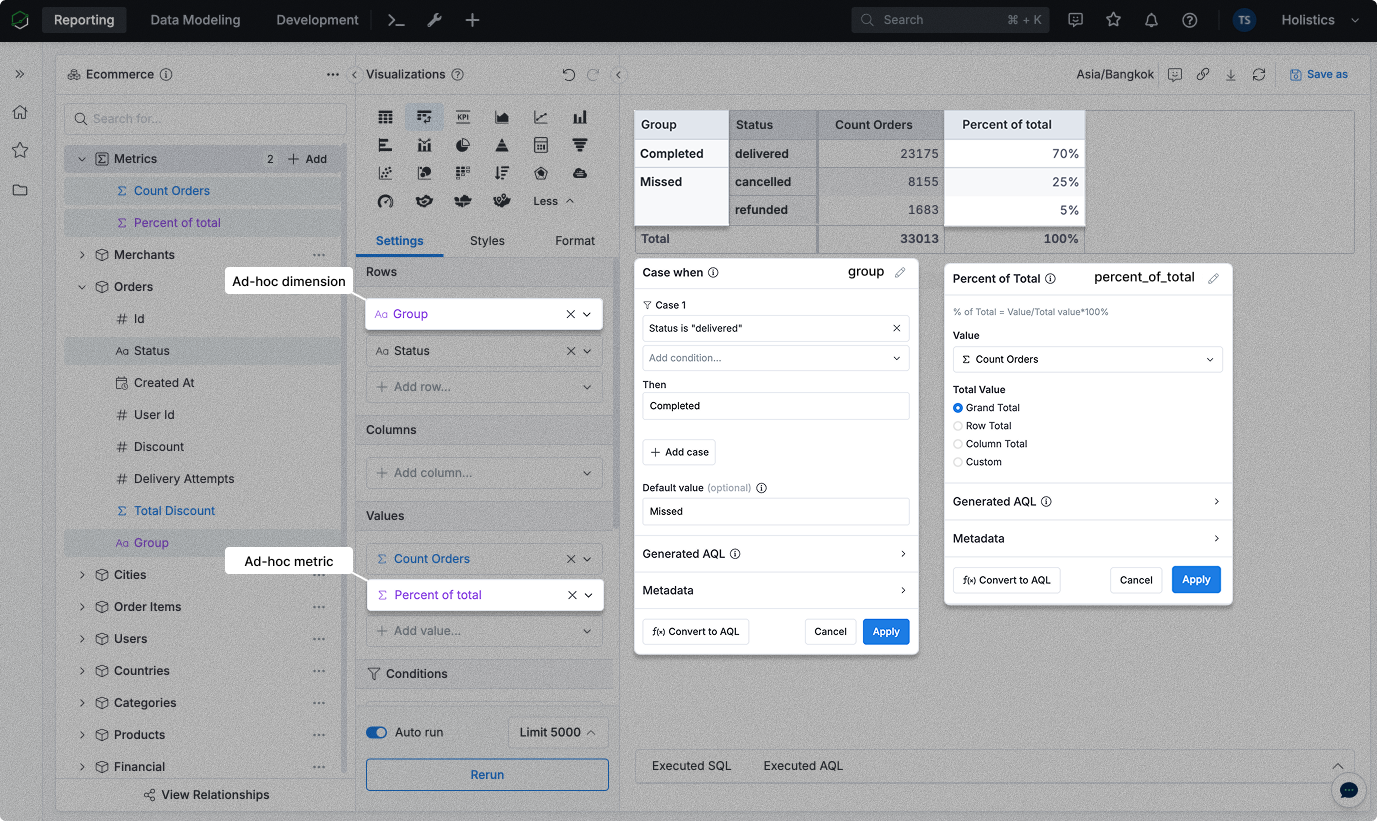
Where to create ad-hoc fields
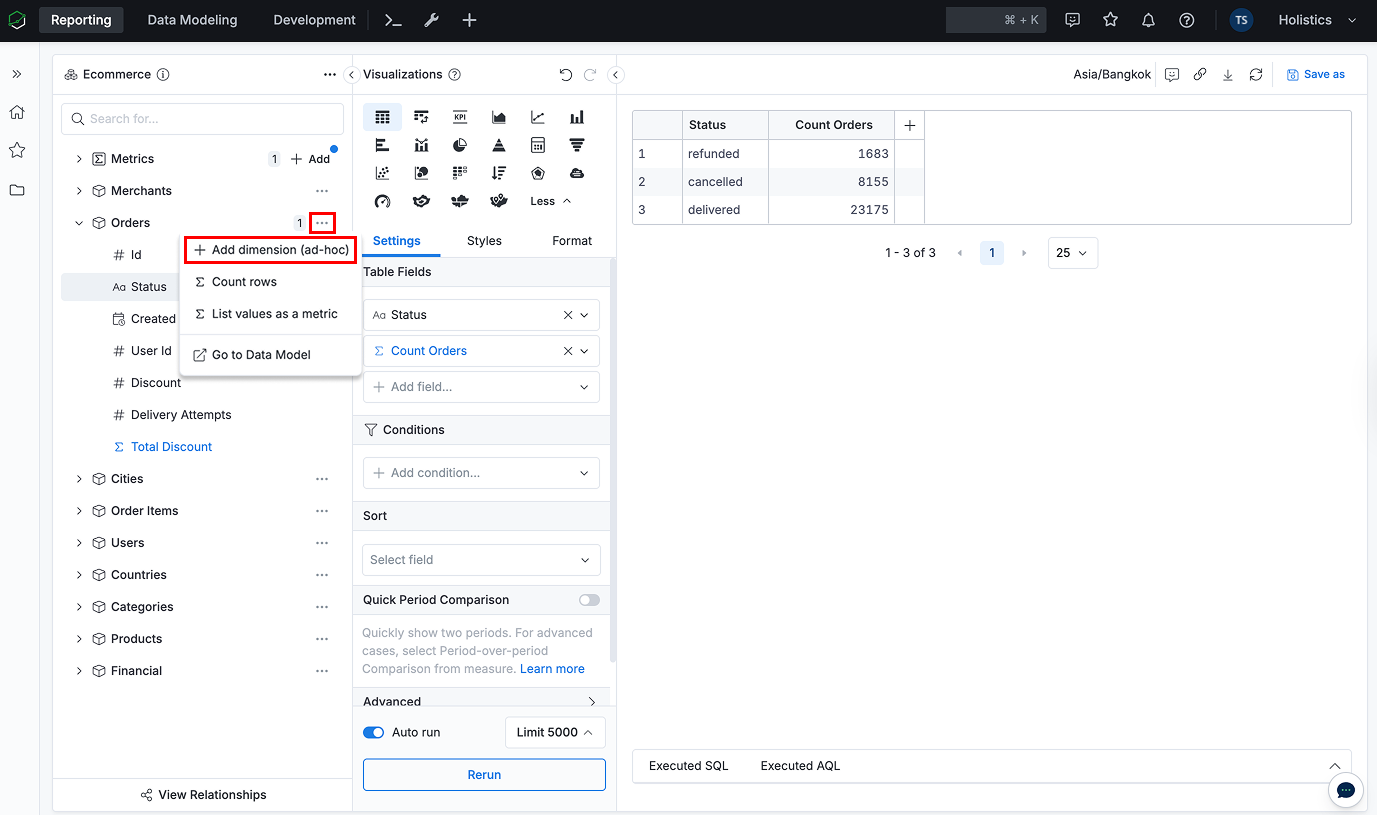
Ad-hoc dimension
Add an ad-hoc dimension to analyze data by new categories or groupings. You can add it to any model in the dataset tree.
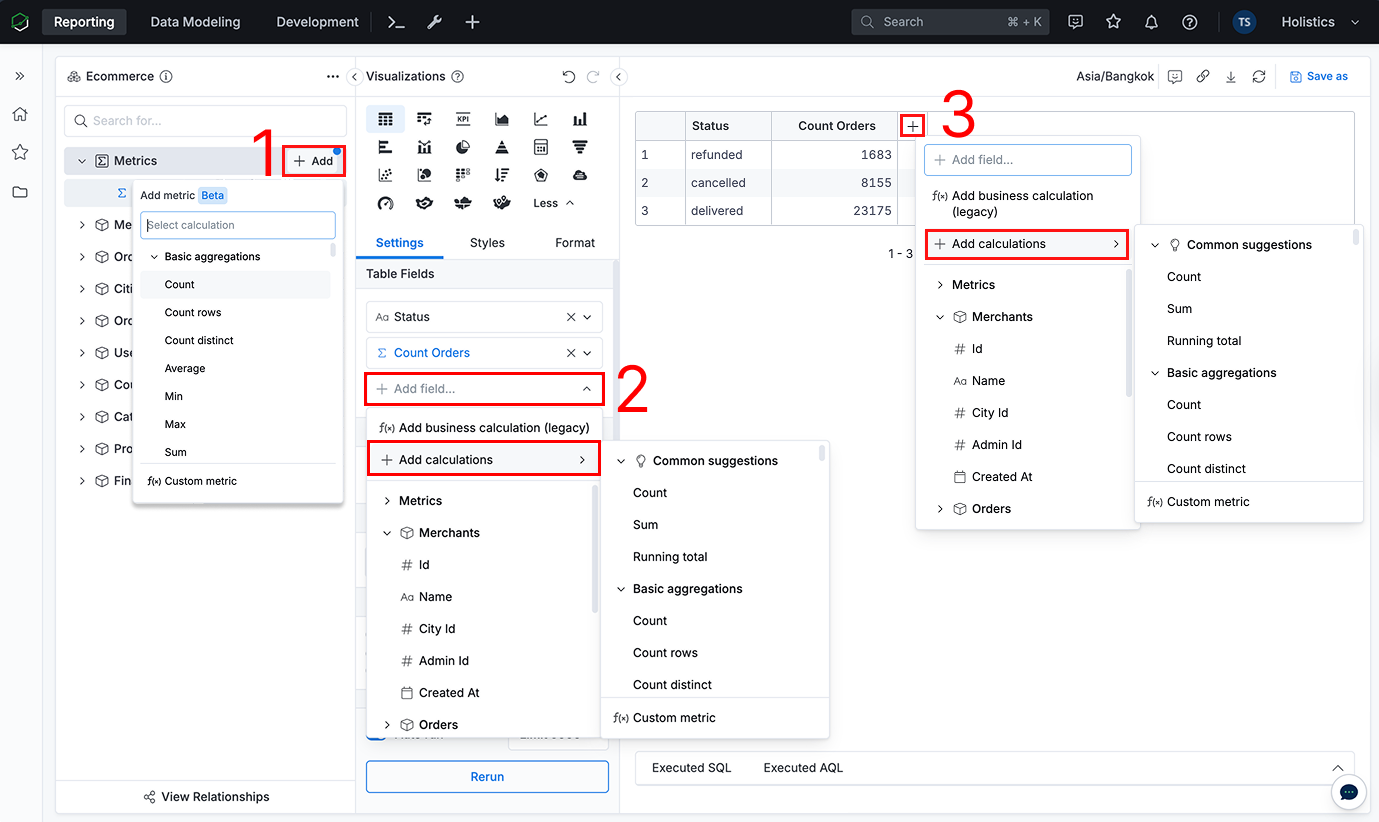
Ad-hoc metric
Add an ad-hoc metric to calculate new aggregations or KPIs. You can add it in several places:
- Using the
Addbutton in the dataset tree - In the visualization settings
- In the table
How to create Ad-hoc Fields
Ad-hoc fields can be created using two views: Calculation Builder or Formula. You can switch between them at any time, depending on your preference. Some advanced logic may only be available in Formula.
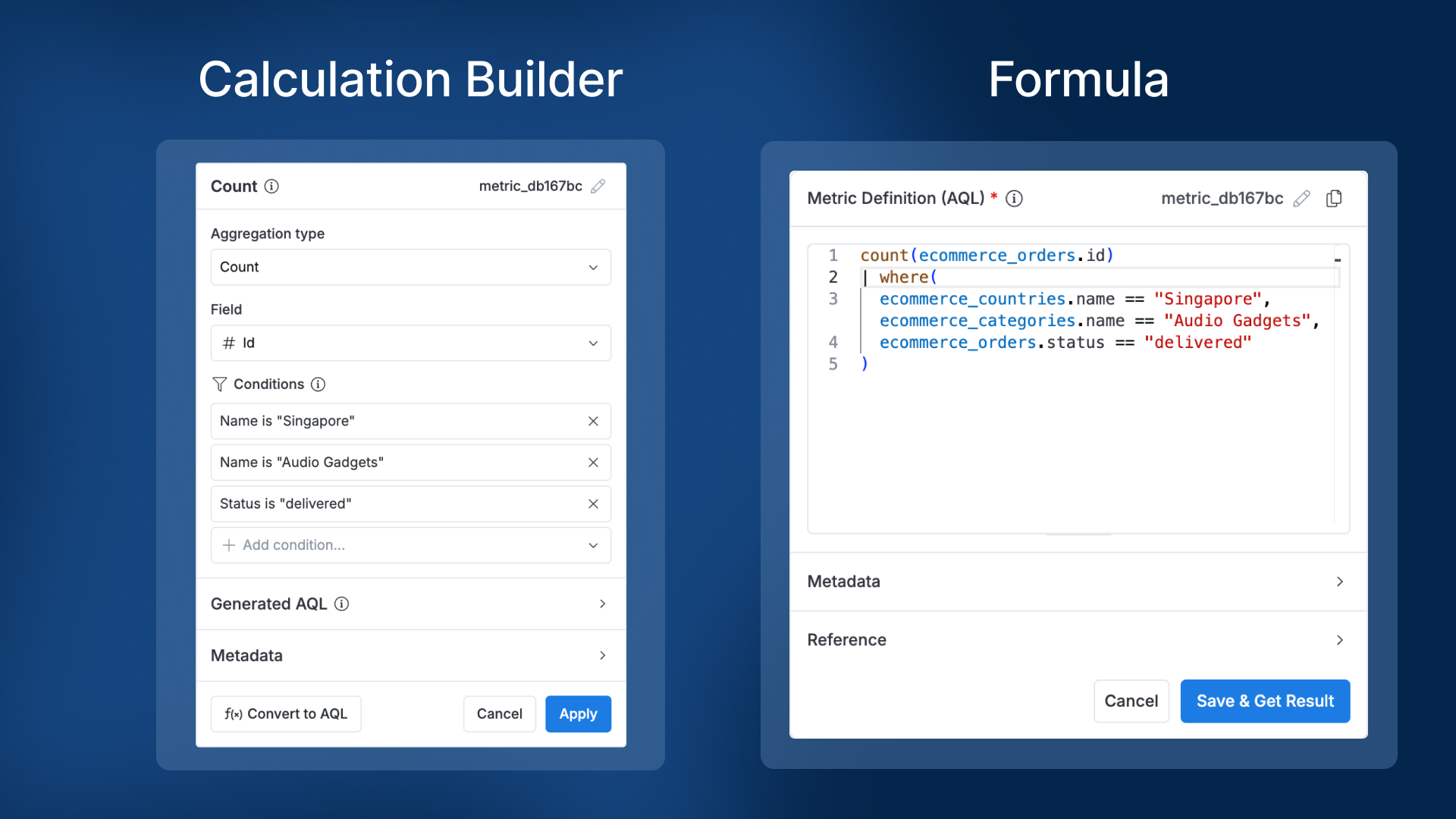
Using calculation builder
Calculation builder is a visual, no-code way to create ad-hoc fields. For the full guide, see:
- Calculation builder: overview of the builder and how to configure a field
- Quick start: ways to create a metric
- Available calculations: the full list of GUI calculations
Using AQL
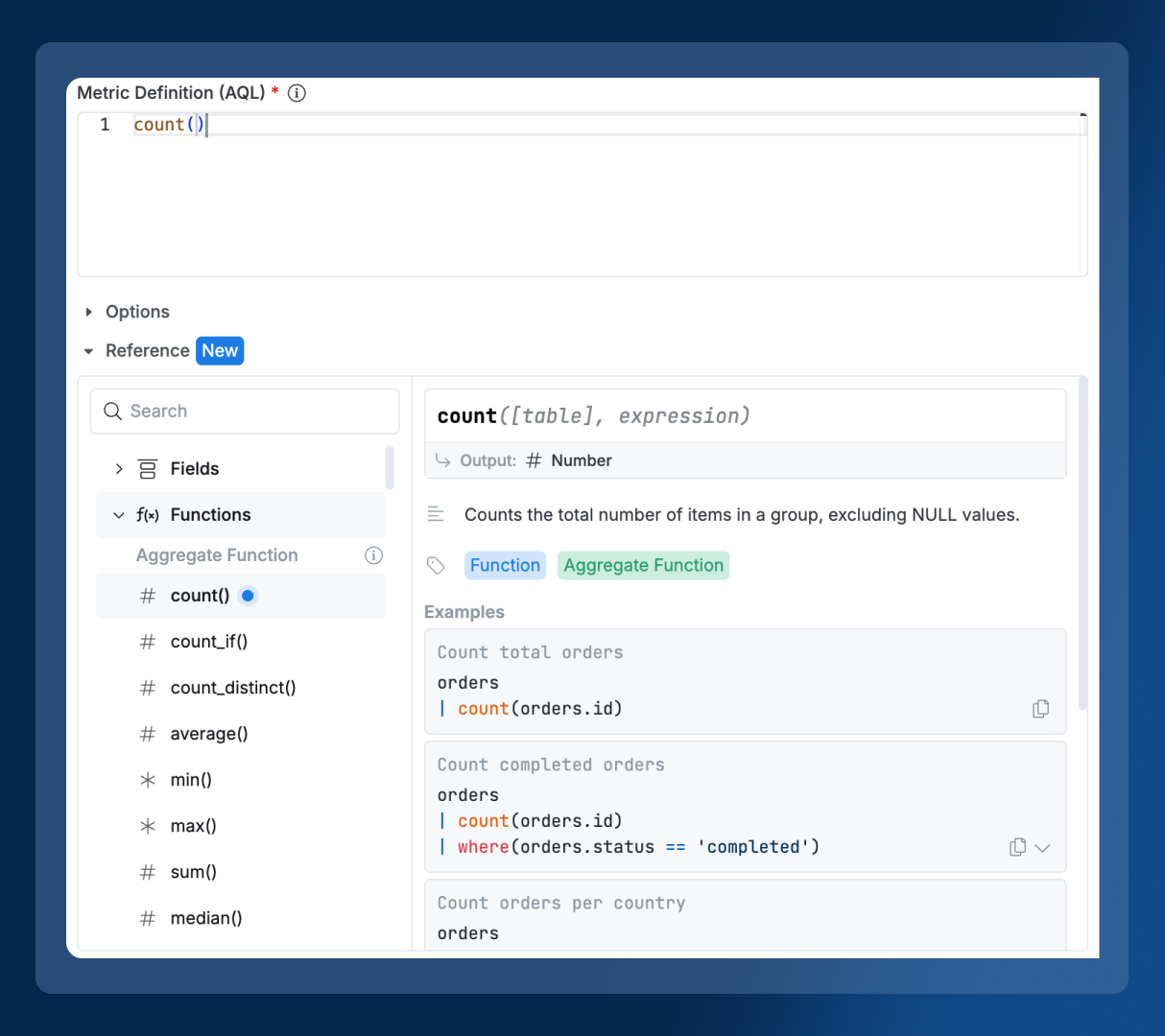
Write your own formula with Analytics Query Language (AQL) when you need more control and advanced calculations beyond the GUI. The in-editor AQL Quick Reference is a quick way to look up functions, operators, and examples while you write. You can also use these references:
Reference Ad-hoc Fields
Once created, Ad-hoc Fields can be referenced by their field names in other AQL fields:

How to distinguish between Ad-hoc Fields and Dataset Fields?
There are two ways to distinguish Ad-hoc Fields from Dataset Fields:
- Ad-hoc Fields have the color purple, while Dataset Fields are blue.
- Ad-hoc Fields are of type "Ad-hoc Metric" or "Ad-hoc Dimension", while Dataset Fields are of type "Metric" or "Dimension"

FAQ
If I define Ad-hoc Fields in a Development dashboard and deploy to Production, will end users see my Ad-hoc Fields on Production as well?
Yes, your Ad-hoc Fields will be deployed along with your Canvas Dashboard to Production. They will still be Ad-hoc Fields and are editable in Production.
When I edit a report in Production and modify their Ad-hoc Fields, will these changes be made available in Development?
Yes, when you edit a report in Production, modify their Ad-hoc Fields and save the report, changes made to Ad-hoc Fields will be saved to the report in Development.
If I define Ad-hoc Fields in a report, and then duplicate that report, will my Ad-hoc Fields be duplicated as well?
Yes, your Ad-hoc Fields will be duplicated along with your report. However, the Ad-hoc Fields in the duplicated report are not synchronized with the original report. If you edit Ad-hoc Fields in the duplicated report, it doesn't affect Ad-hoc Fields in the original one.
Can I connvert Ad-hoc Fields into Dataset Fields?
No, this is currently not possible, although we have plans to work on this in the future.