Dynamic Top N
A grasp of these concepts will help you understand this documentation better:
Introduction
Using Parameter Fields, you can build charts that allow users to dynamically control how many top (or bottom) items to display. This is useful when users want flexibility in viewing top performers, outliers, or focusing on specific segments of their data.
Use Case: Top Buyers by Order Count
Suppose you have an e-commerce dataset and want to let users dynamically choose how many top buyers to display based on their total orders.
Pre-requisite: This example assumes you already have a users model with a full_name dimension and an orders model with a total_orders measure.
Model users {
  ...
  dimension full_name {
    label: "Full Name"
    type: 'text'
  }
}
Model orders {
  ...
  measure total_orders {
    label: "Total Orders"
    type: 'number'
  }
}
Step 1: Create a Parameter Model
First, create a Query Model to hold your parameter field. This approach is useful when you want to reuse the parameter across multiple visualizations or when the parameter doesn't naturally belong to a specific data model.
Model param_model {
  type: 'query'
  label: 'Param Model'
  data_source_name: 'your_datasource'

  query: @sql select 1 ;;

  param number_param {
    label: 'Top N'
    type: 'number'
  }
}
Step 2: Add Parameter Model to Your Dataset
Include the parameter model in your dataset alongside your data models.
Dataset ecommerce {
  label: 'Ecommerce'
  data_source_name: 'your_datasource'

  models: [users, orders, param_model]

  relationships: [
    relationship(orders.user_id > users.id, true)
  ]
}
Step 3: Use Dynamic Top N in AQL Condition
In your visualization, use the AQL Condition to filter results to only show the top N users based on total orders.
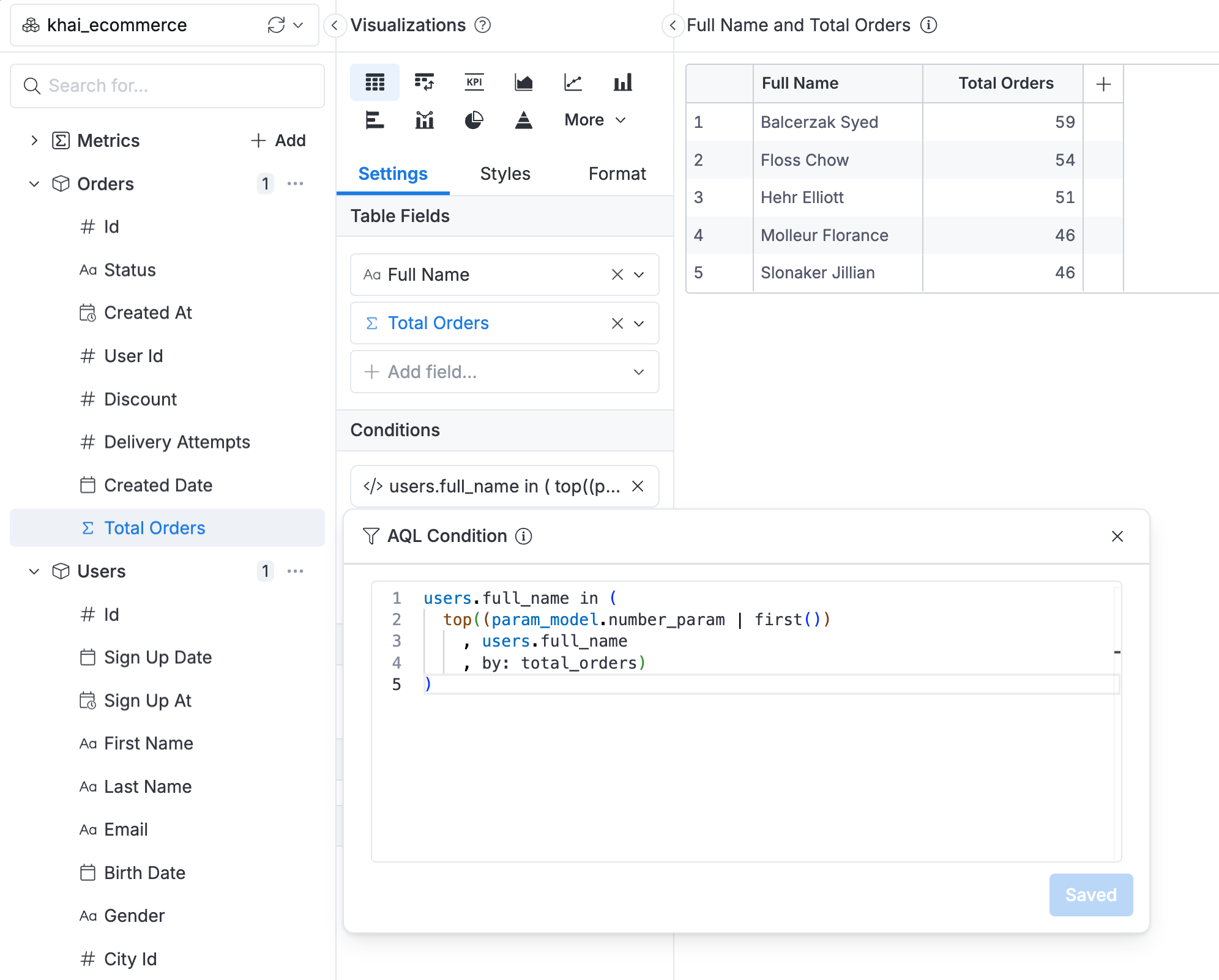
explore {
  dimensions {
    full_name: users.full_name
  }
  measures {
    total_orders: orders.total_orders
  }
  filters {
    users.full_name in (
      top(
        (param_model.number_param | first())
        , users.full_name
        , by: orders.total_orders
      )
    )
  }
}
The top() function here:
- Takes the parameter value
(param_model.number_param | first())as N - Returns the top N
users.full_namevalues - Ranks them by
orders.total_ordersin descending order
Step 4: Create Dashboard Filter
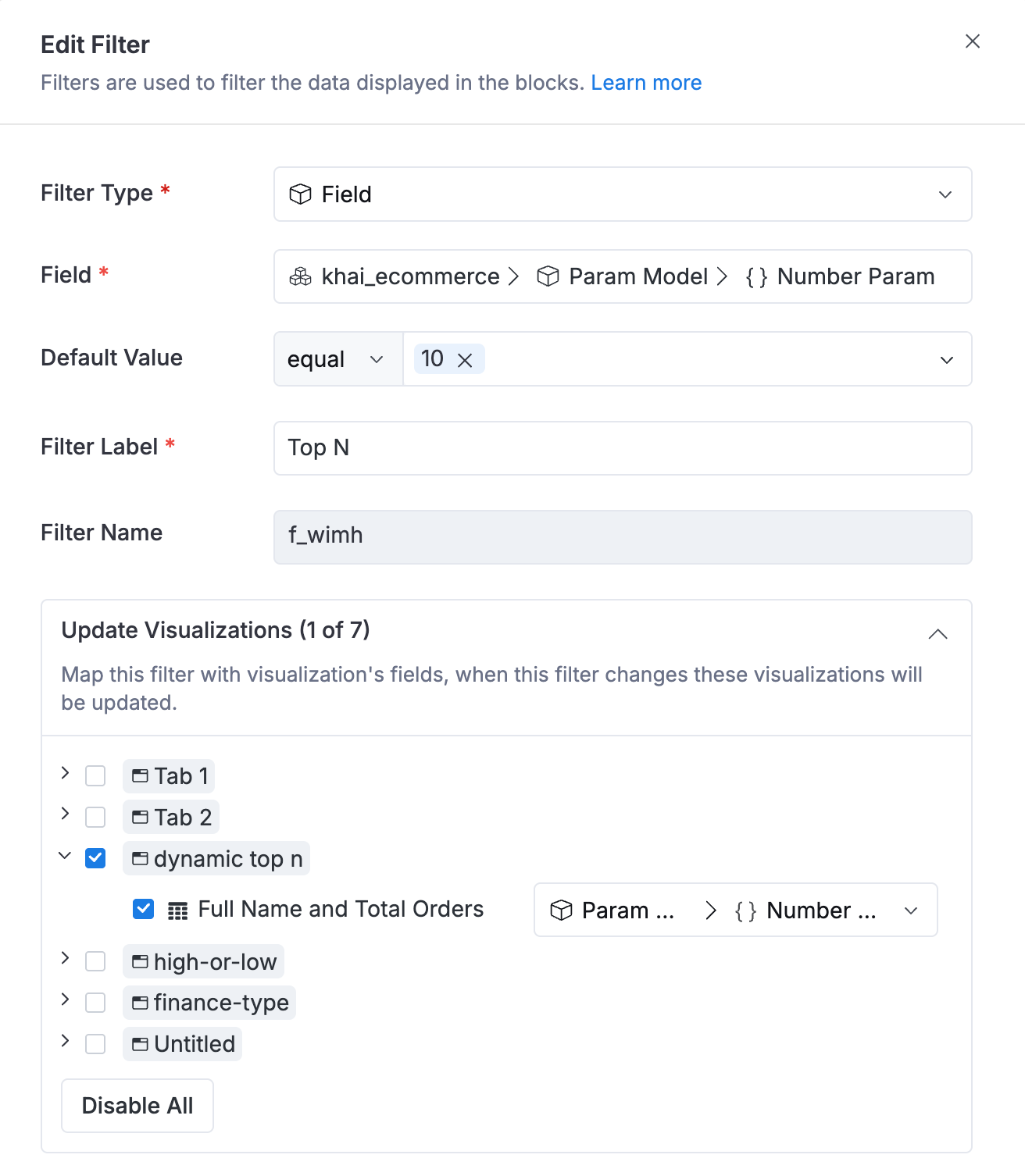
- Add a dashboard filter linked to
param_model.number_param - Users can now dynamically change how many top buyers are displayed